// UNREAL ENGINE PLUGIN
Radial Skill Check: Skill Check System for Unreal Engine
Timing-based radial skill checks, ready to drop into any game.
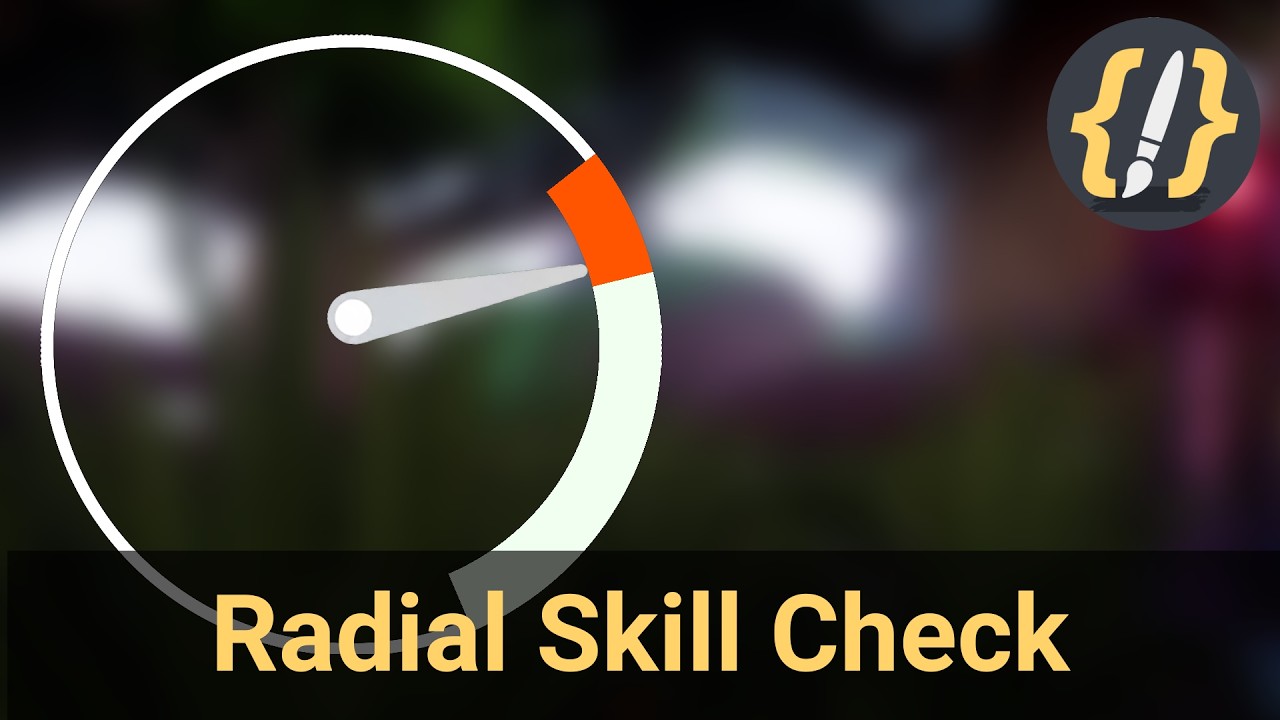
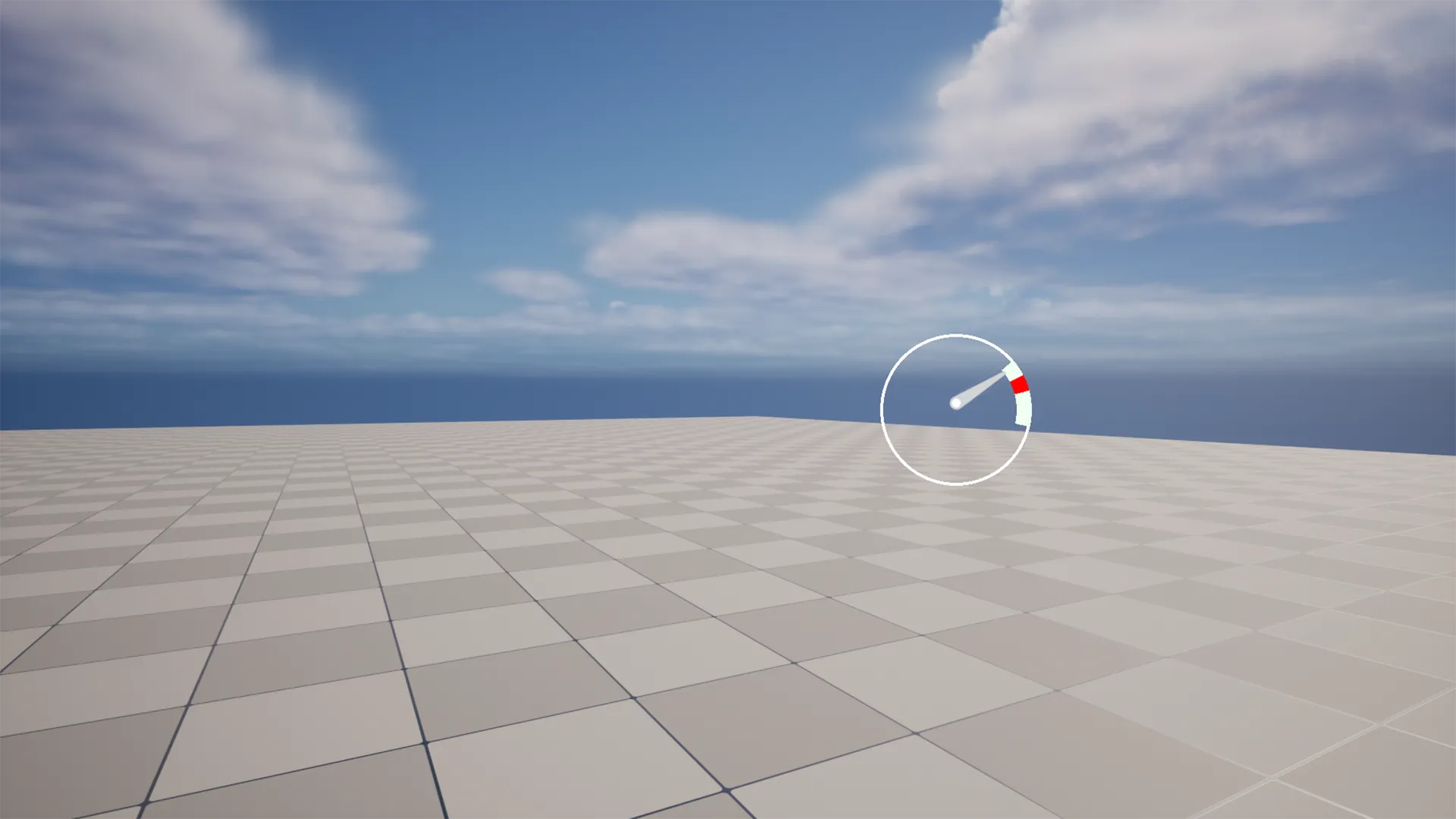
Radial Skill Check is a drop-in timing mechanic for Unreal Engine. A circular gauge sweeps around a dial and the player presses a key to stop it inside a target zone: land in the wider good zone for a normal success, the narrow great zone for a perfect hit, or anywhere else for a miss. It is the kind of timing skill check popularized by games like Dead by Daylight, ready to attach to any actor with a component and a widget that work together out of the box.

What it does
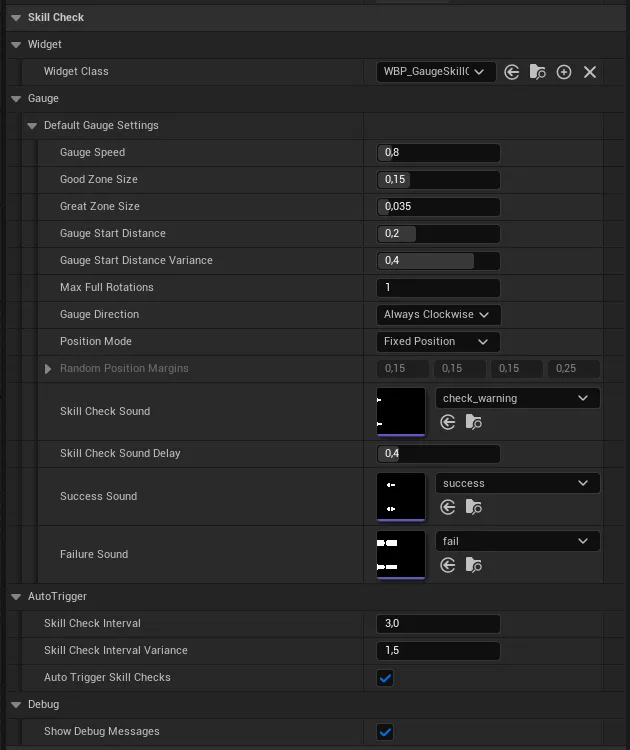
- Rotating gauge with adjustable speed and direction (clockwise, counter-clockwise, alternating, or random).
- Good and great zones with configurable sizes, re-randomized every check.
- Reaction lead-in so the player has time to react, with optional random variance.
- Automatic or manual triggering on a randomized timer or on demand.
- Three Blueprint events for great, good, and miss outcomes.
- Optional audio cues and random on-screen placement.
See it in action
Screenshots

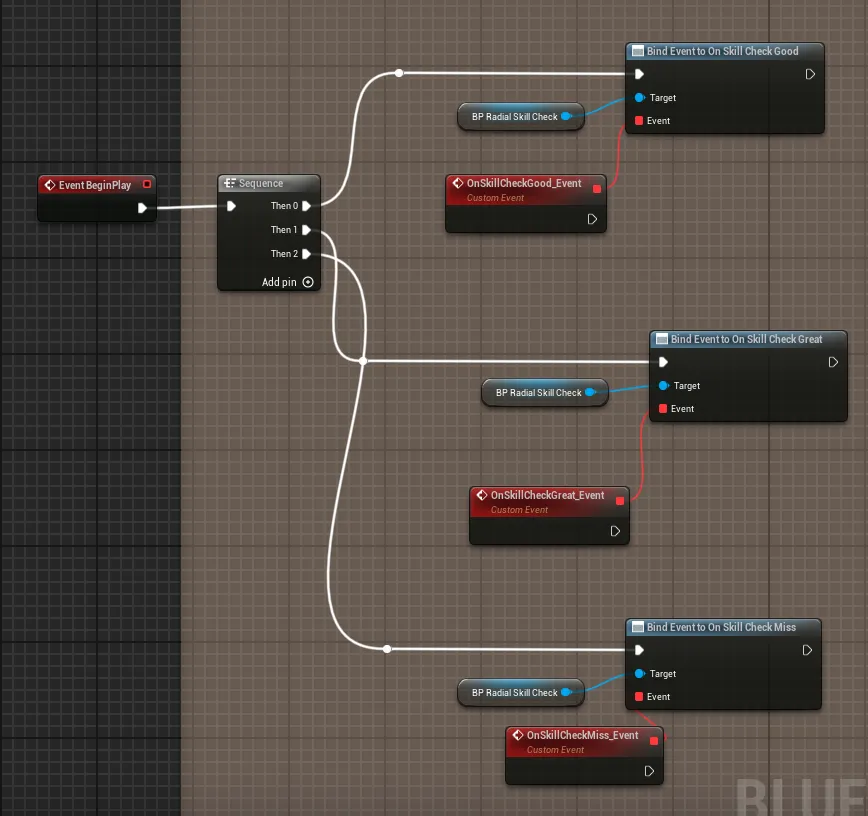
Frequently asked questions
- What kind of skill check is this?
- A timing-based radial gauge that sweeps around a dial. The player presses a key to stop it inside a target zone: the wider good zone for a normal success, the narrow great zone for a perfect hit, or anywhere else for a miss. It is the timing skill check popularized by games like Dead by Daylight.
- Does it work in a Blueprint-only project?
- Yes. It is a drop-in component and widget that work together out of the box, with three Blueprint events for the great, good, and miss outcomes. No C++ is required.
- Can I tune the difficulty?
- Yes. The good and great zone sizes are configurable and re-randomized every check, the gauge speed and direction are adjustable (clockwise, counter-clockwise, alternating, or random), and there is a reaction lead-in with optional random variance.
- How is a skill check triggered?
- Automatically on a randomized timer or manually on demand, with optional audio cues and random on-screen placement.
Tutorials & guides
-
Triggering Skill Checks: Solving Sessions and Timers (Unreal Engine)
How a radial skill check decides when to appear: a solving session that runs between Begin and End, an auto-trigger timer with randomized intervals, manual Show Gauge calls with optional per-check settings, and random on-screen placement.
-
Scoring a Skill Check and Firing Blueprint Events (Unreal Engine)
How a radial skill check scores the player's stop: compare the gauge angle to the great zone first, then the good zone, else a miss, and broadcast one of three Blueprint events. Why great is tested first and what else counts as a miss.
-
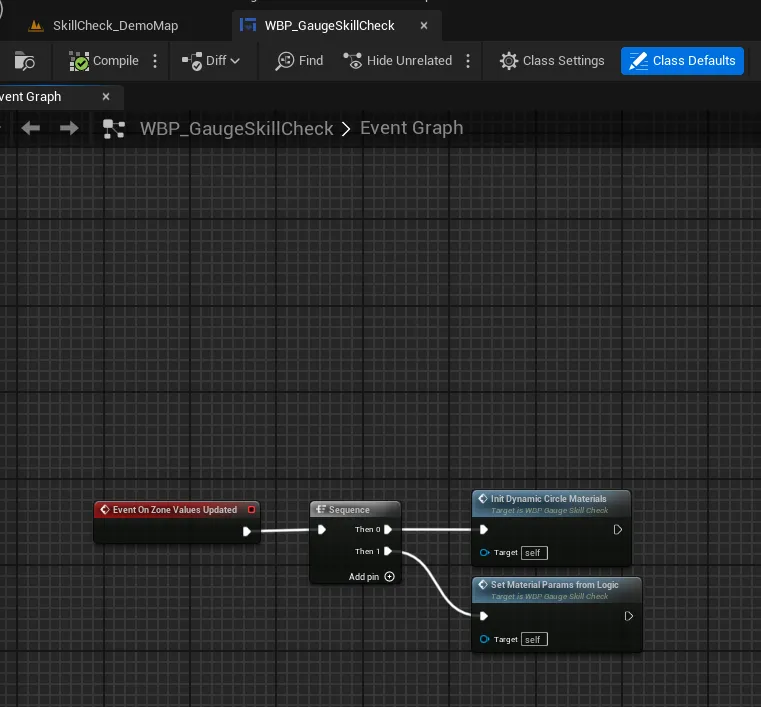
Wiring a Widget to Dynamic Materials in Unreal Engine (Skill Check Gauge)
The Blueprint seam of a radial skill check: create dynamic material instances for the two zone arcs and the background ring, then on every update push the component's normalized zone values into the materials' Angle, Radius, and Color parameters.
-
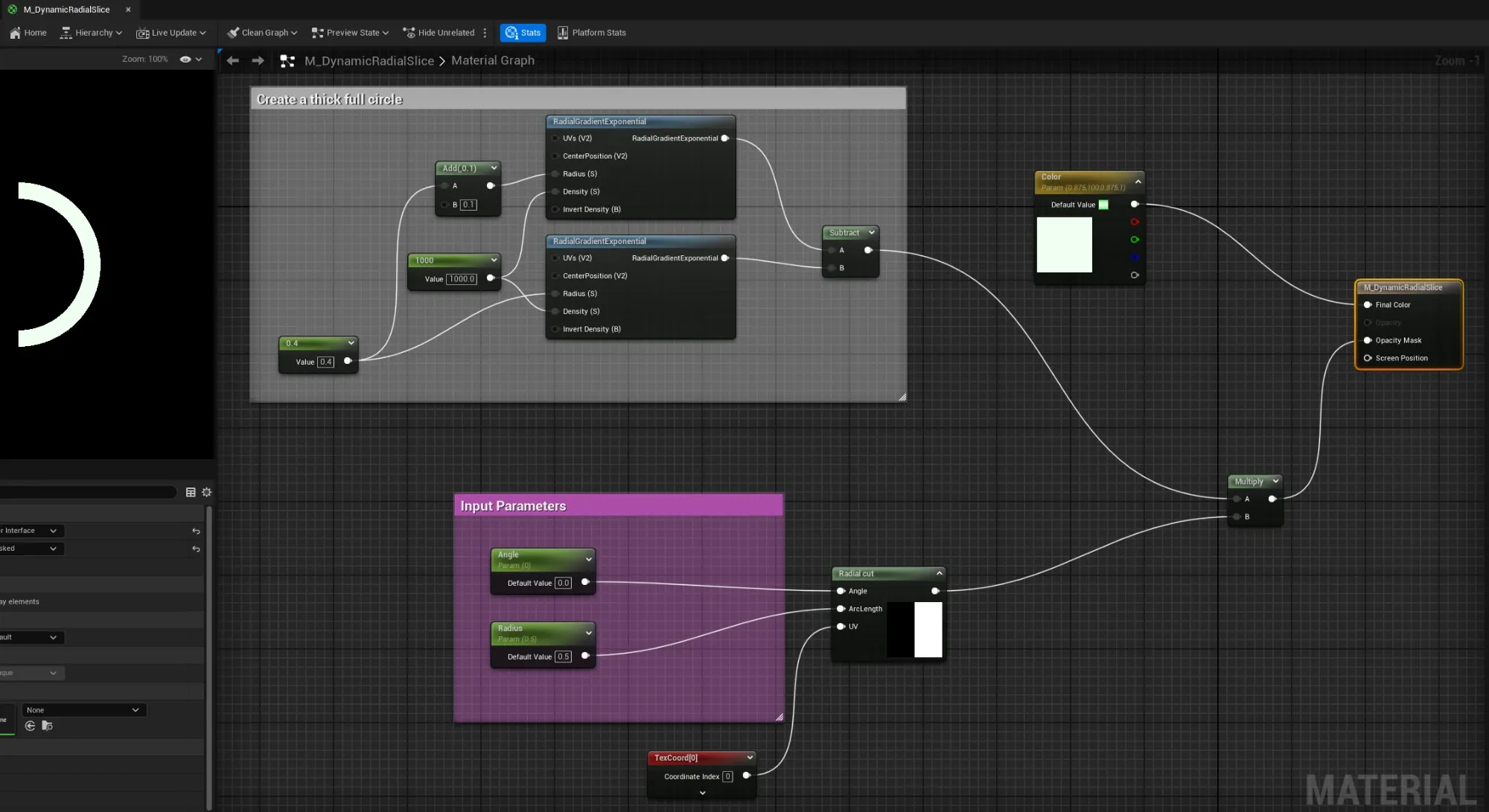
Drawing a Radial Arc with a Material in Unreal Engine
How the skill check zones are drawn: a UMG material that builds a thick ring from two RadialGradientExponential nodes, then cuts an arc out of it with a radial-cut function driven by an Angle and an arc-length parameter. The Radius parameter is the zone size.
-
Randomizing Good and Great Zones for a Skill Check (Unreal Engine)
How a radial skill check places its targets each attempt: a good zone randomized to fit inside the 0-1 dial, a great zone nested at a random offset inside it, and a tunable reaction lead-in so the gauge always starts a fair distance away.
-
Rotating a Skill Check Gauge in Unreal Engine (C++ Tick)
How the skill check needle rotates: a C++ component advances one normalized angle per tick from a rotations-per-second speed, wraps it to 0-1, tracks travel distance for a timeout, and the widget turns that angle into a render-transform rotation.
-
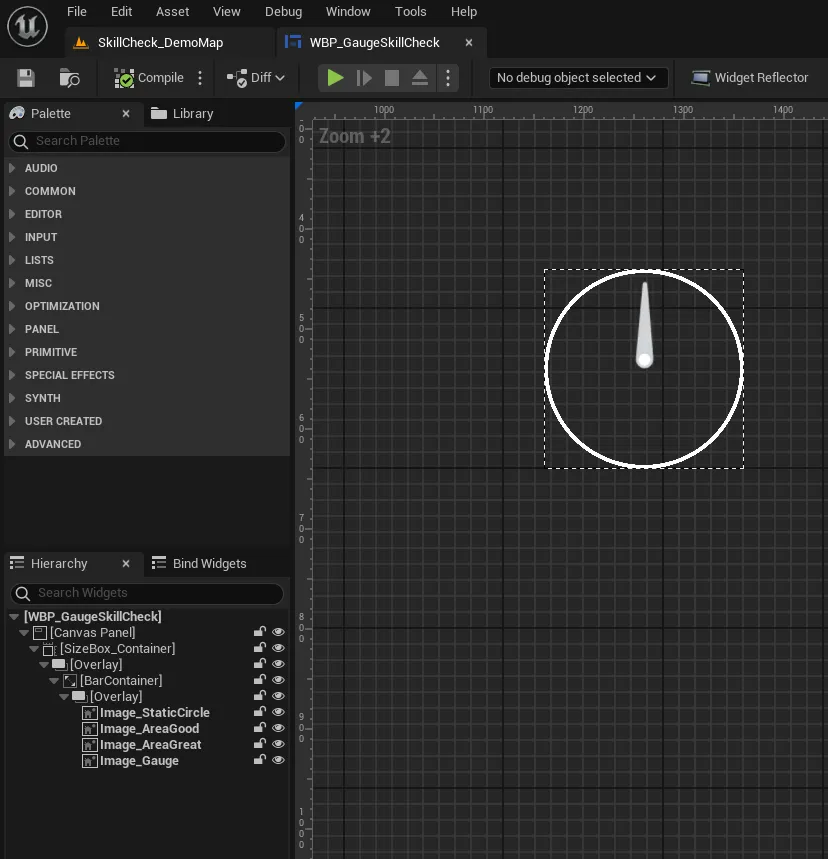
Radial Skill Check Architecture in Unreal Engine: How It Works
The architecture behind a radial skill check in Unreal Engine: one normalized 0-1 angle, a C++ component that owns the logic, a widget that only rotates a needle, and materials that draw the arcs. Why the visuals are split off from the gameplay.
-
Radial Skill Check in Unreal Engine: Complete Guide
How to build a Dead by Daylight style radial skill check in Unreal Engine: a C++ component that drives normalized 0-1 zone values, a widget that rotates one image, and materials that draw the good and great arcs. A reproducible build in seven steps.