Writing Player Location to Fog of War in Unreal Engine: Floor Mask and Spotlight
How the player's position drives top-down fog of war in Unreal Engine: the Fog Manager writes CharacterUVLocation each tick, and the material turns it into a SphereMask spotlight intersected with a baked floor mask so light lands only on visible, walkable ground.
This is step five of the Top-Down Fog of War in Unreal Engine
guide. The Fog Manager drives a
dynamic instance of M_Main_Fog_Volume, and the
material lerps the scene by a mask.
This step builds the most important input to that mask: the player reveal, and it
starts with getting the player’s position into the material.
Writing the player’s location each tick
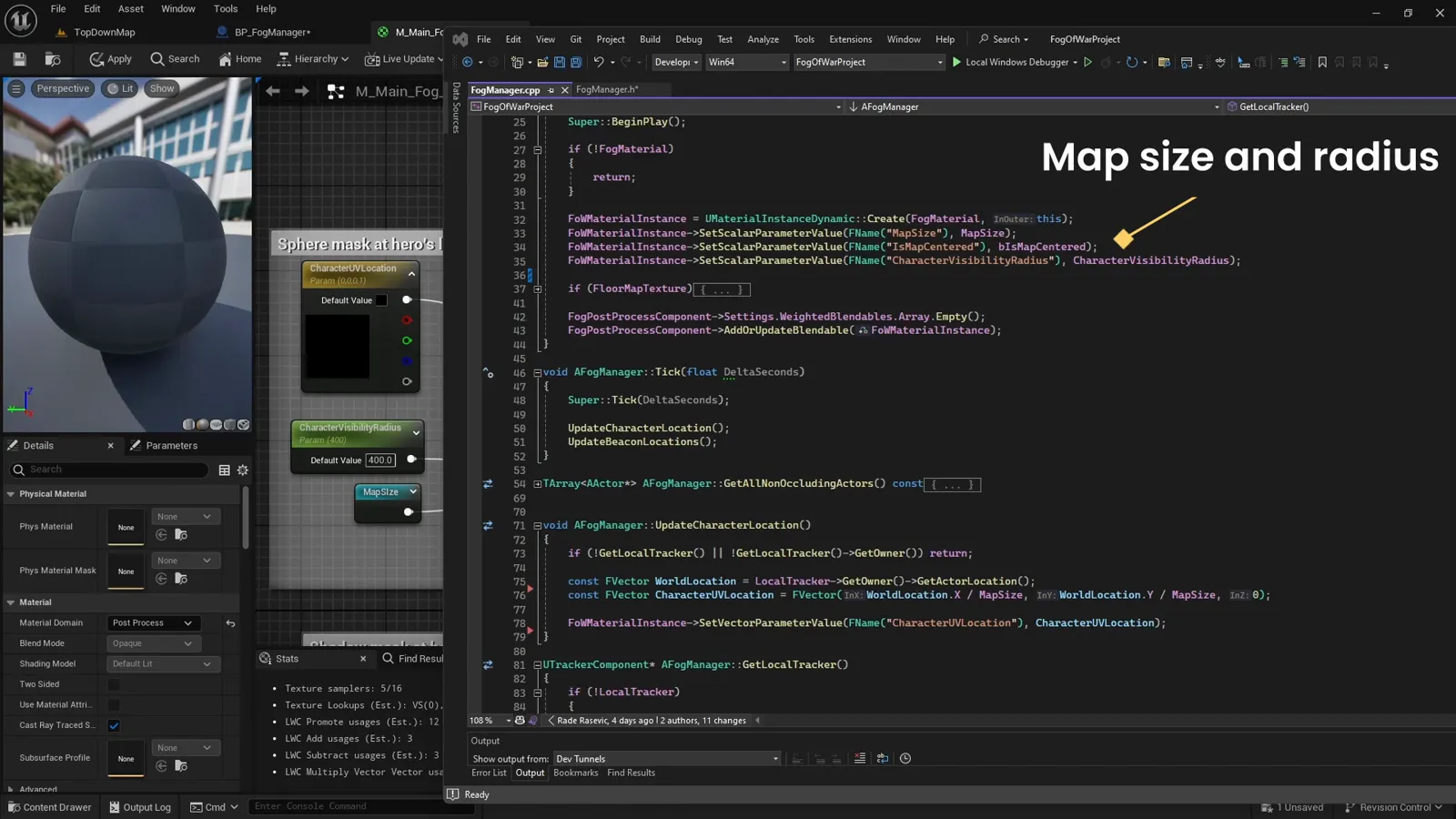
Materials work in normalized (0 to 1) UV space, so the trick that makes the whole effect line up is converting the player’s world position to UV by dividing by the map size. Every tick the manager pushes that, plus the player’s facing and a field of view value, into the material:
void AFogManager::UpdateCharacterLocation()
{
    if (!GetLocalTracker() || !LocalTracker->GetOwner()) return;

    const FVector World = LocalTracker->GetOwner()->GetActorLocation();
    // World XY to UV (0..1). The material applies the centered offset if IsMapCentered.
    FoWMaterialInstance->SetVectorParameterValue("CharacterUVLocation",
        FVector(World.X / MapSize, World.Y / MapSize, 0.f));

    const FVector Forward = LocalTracker->GetOwner()->GetActorForwardVector();
    FoWMaterialInstance->SetVectorParameterValue("CharacterForwardDirection",
        FLinearColor(Forward.X, Forward.Y, 0.f, 0.f));

    // Cone gate: cos(half FOV). At 360 we send -1 so the cone test always passes.
    const float FOV = LocalTracker->FieldOfViewAngle;
    FoWMaterialInstance->SetScalarParameterValue("CharacterFOVCosHalfAngle",
        FOV < 360.f ? FMath::Cos(FMath::DegreesToRadians(FOV * 0.5f)) : -1.f);
}
UpdateCharacterLocation is called from Tick. GetLocalTracker just finds the locally
controlled character’s tracker component (the thing that marks “this is the pawn whose
vision we are drawing”); for a single-pawn game you can read the local player pawn
directly.
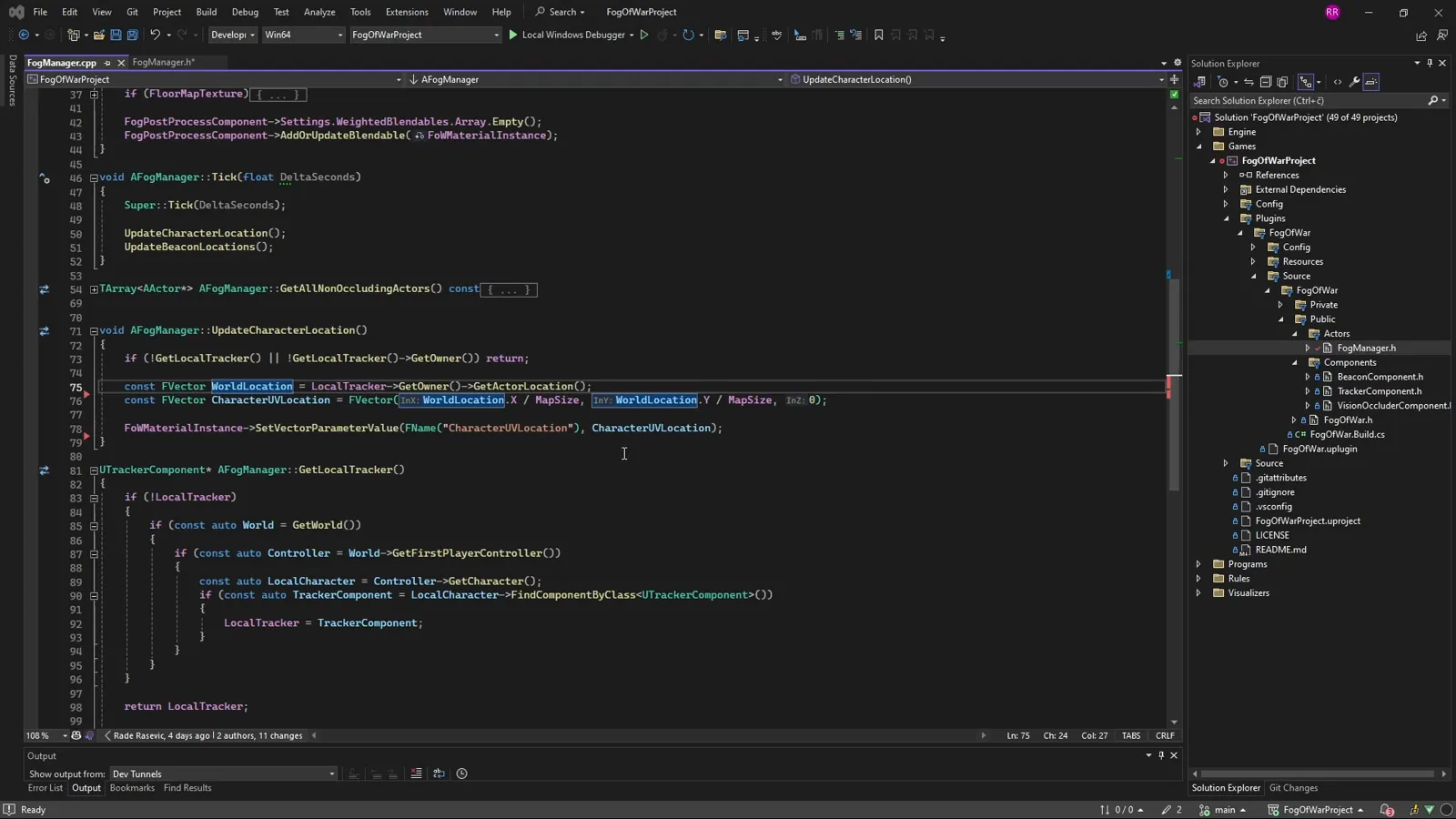
That writes three of the parameters from the contract:
CharacterUVLocation, CharacterForwardDirection, and CharacterFOVCosHalfAngle. The
material reads them to draw the spotlight. The rest of this step is the two masks that turn
them into the reveal: a floor mask so light only lands on walkable ground, and a
player spotlight so it only lands near the player. The material combines them with a
min (logical AND).
The floor mask
The floor mask keeps light off places the player cannot walk: only walkable floor is allowed to light up. Here only the dark gray areas of this test map are walkable.
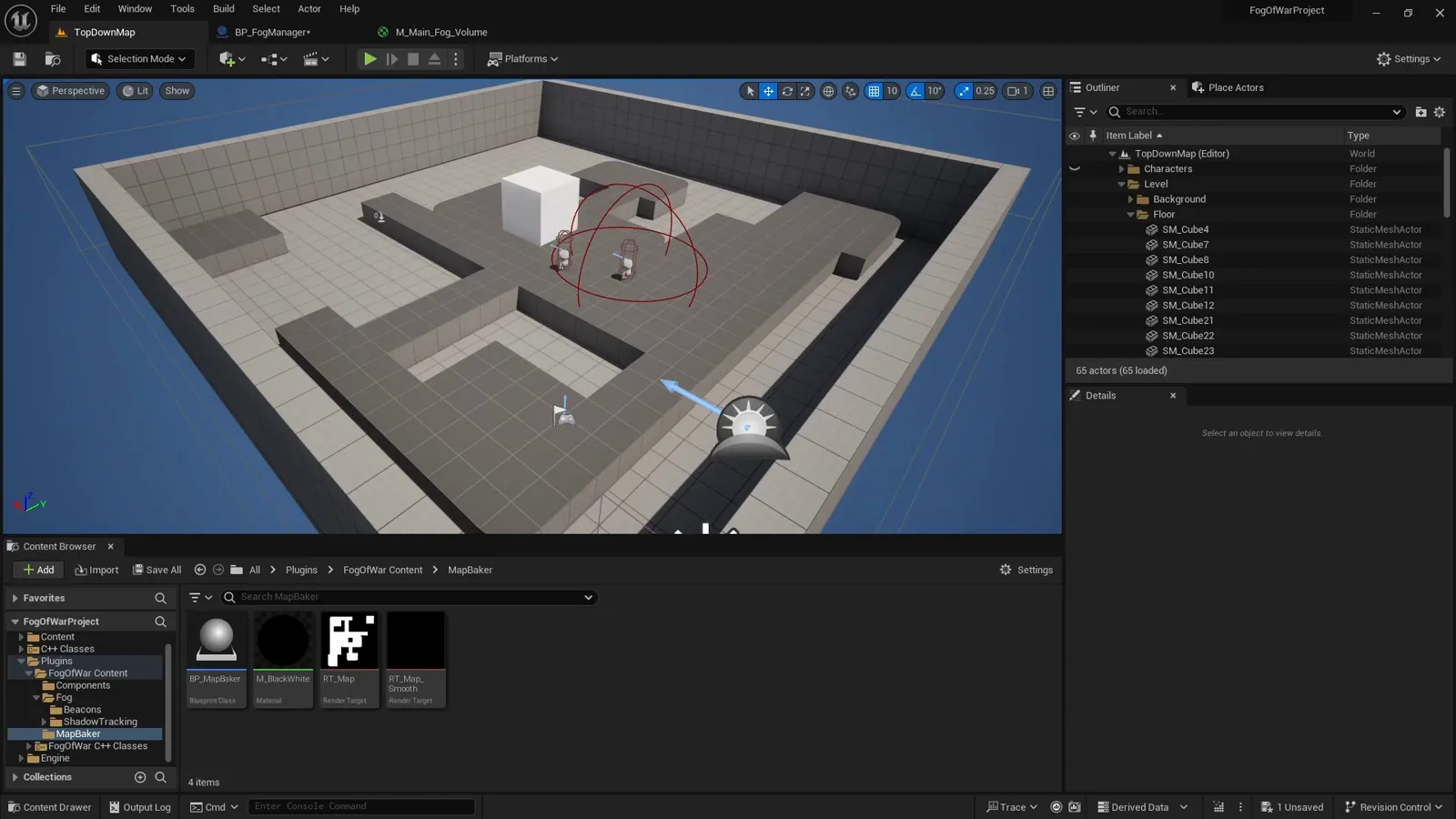
The walkable render target
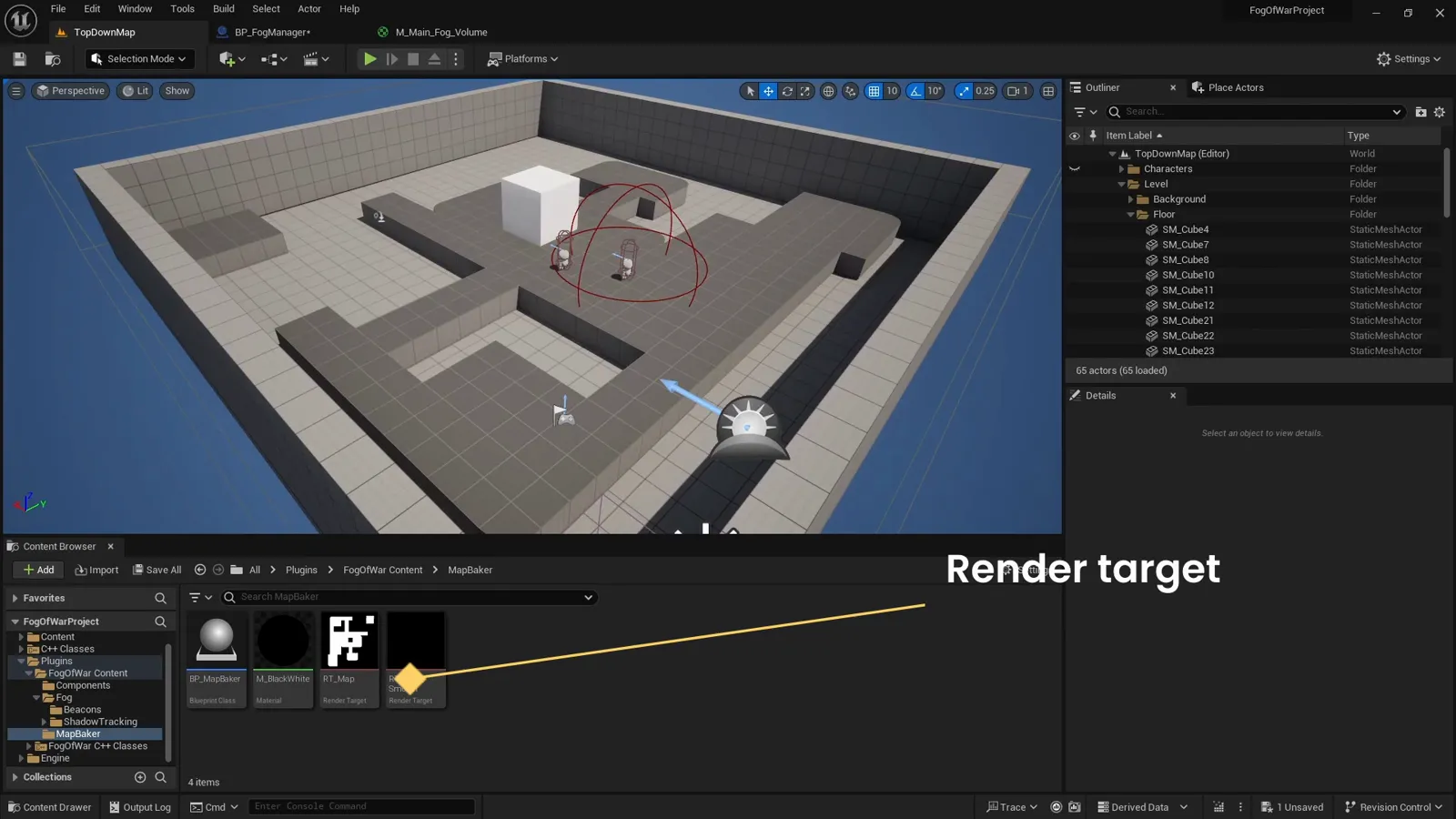
The floor mask is a black-and-white texture where white is walkable. You bake it once from
a top-down capture of the level (covered in a
related render target tutorial), then
assign it as FloorMap. Baking it to a static texture rather than capturing it every frame
is the recommended path for performance.
Sampling the mask in UV space
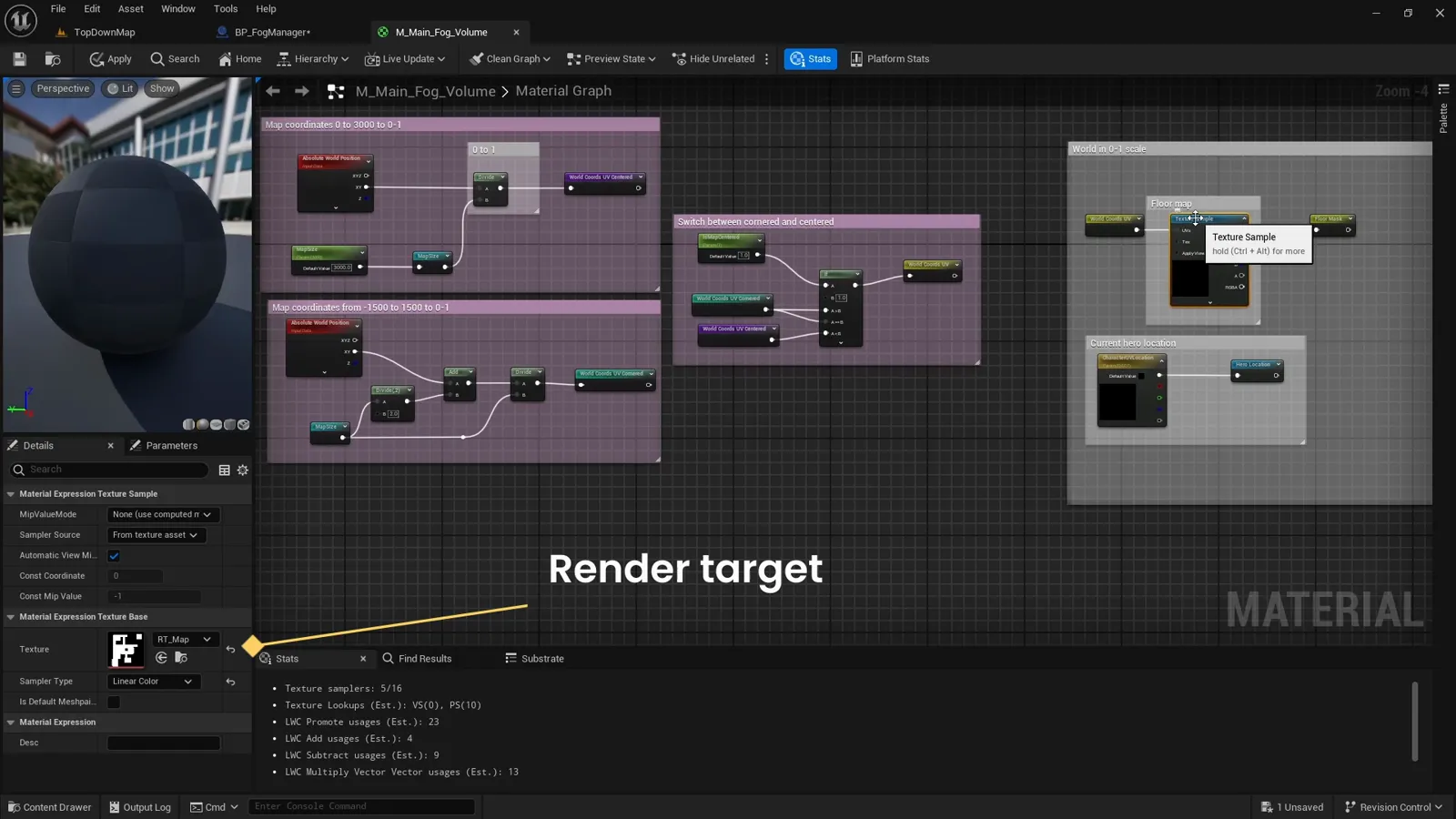
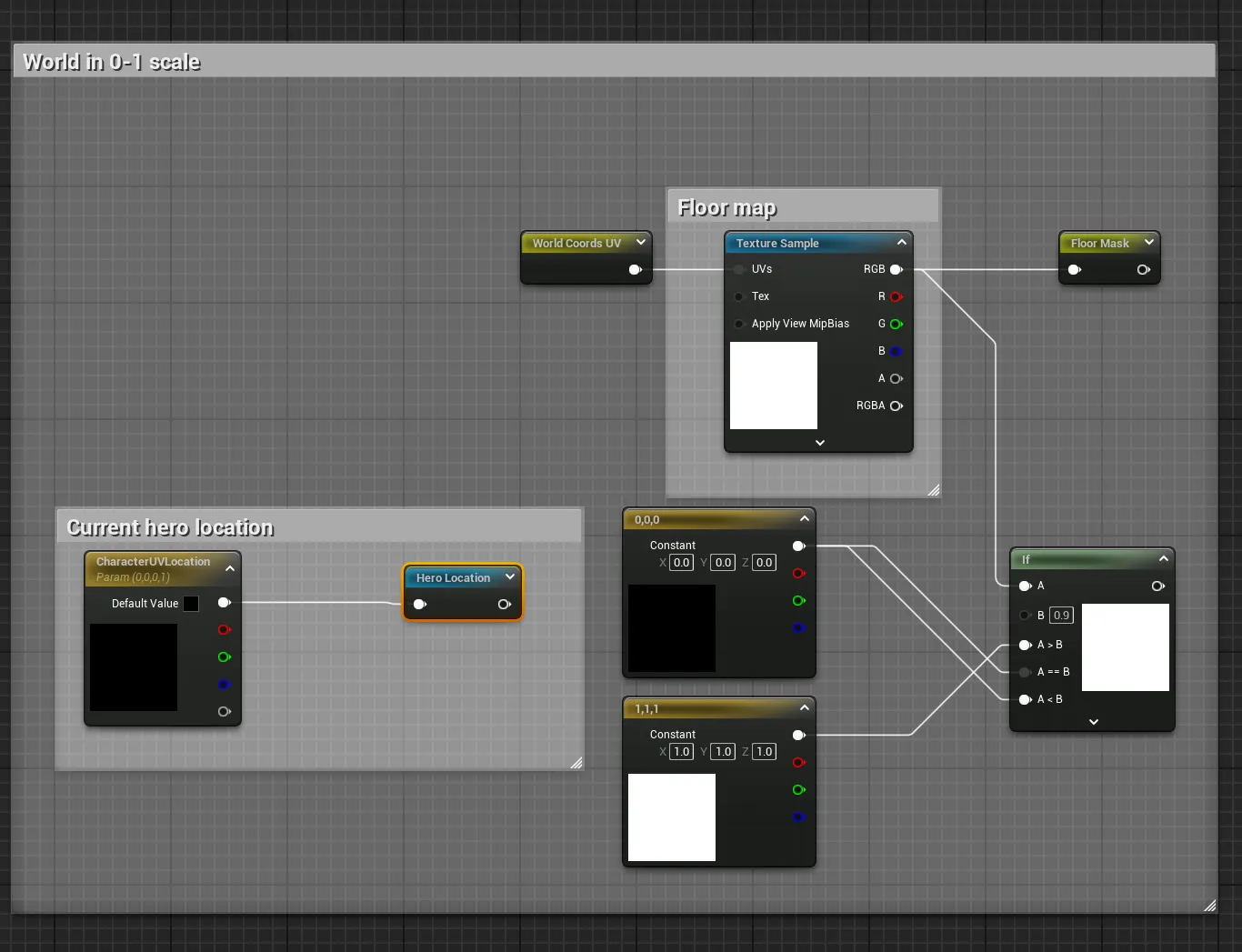
We sample FloorMap at the pixel’s world position converted to UV, the same
worldXY / MapSize from the parameter contract (this is the World Coords UV reroute).
That alignment is the whole reason everything is normalized: the player’s UV location and
the floor texture share one coordinate space. The plugin runs the sampled value through an
If (white above about 0.9, otherwise black) to keep the mask crisp, though a clean source
texture can skip that.
Two kinds of world origin
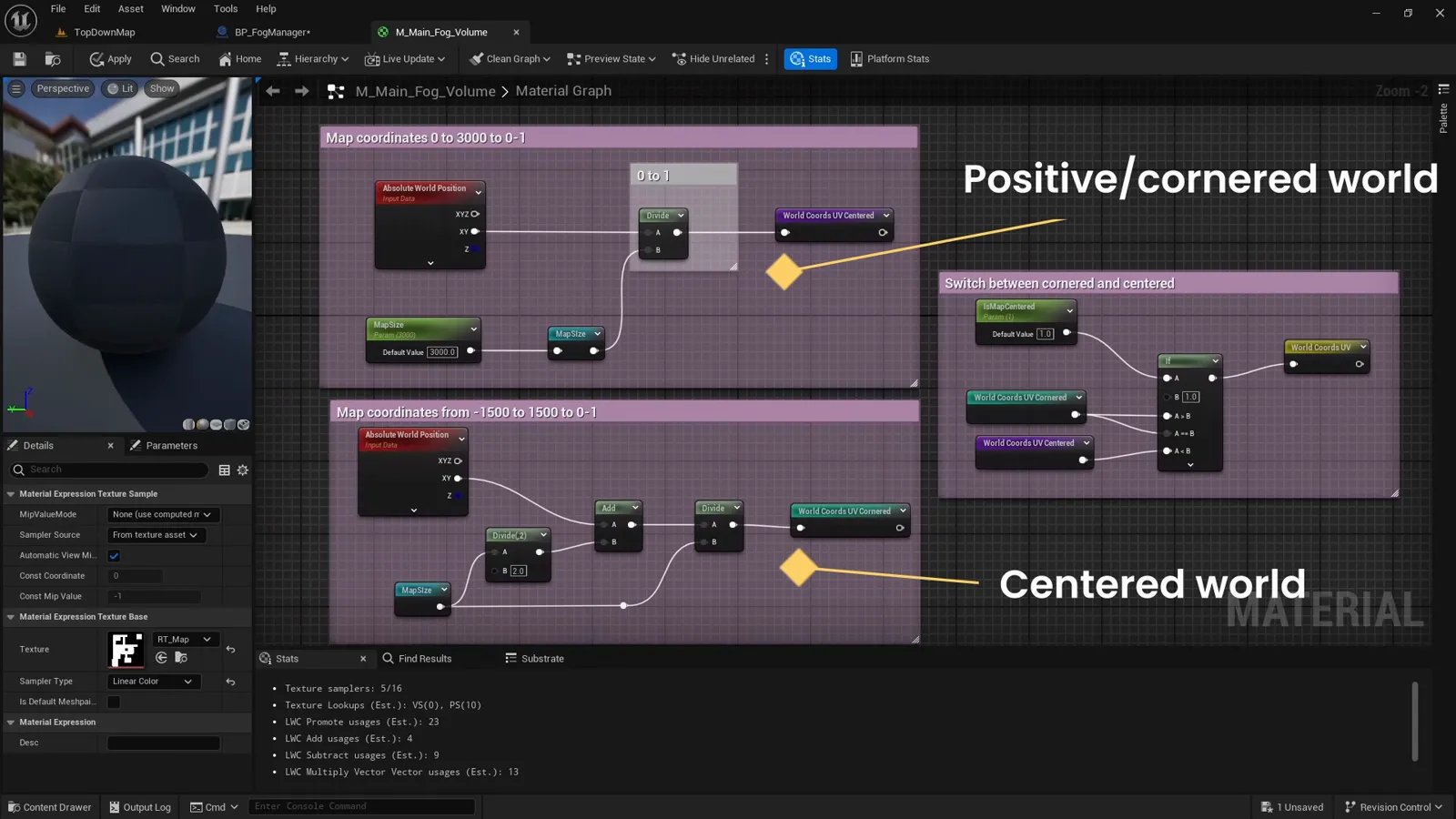
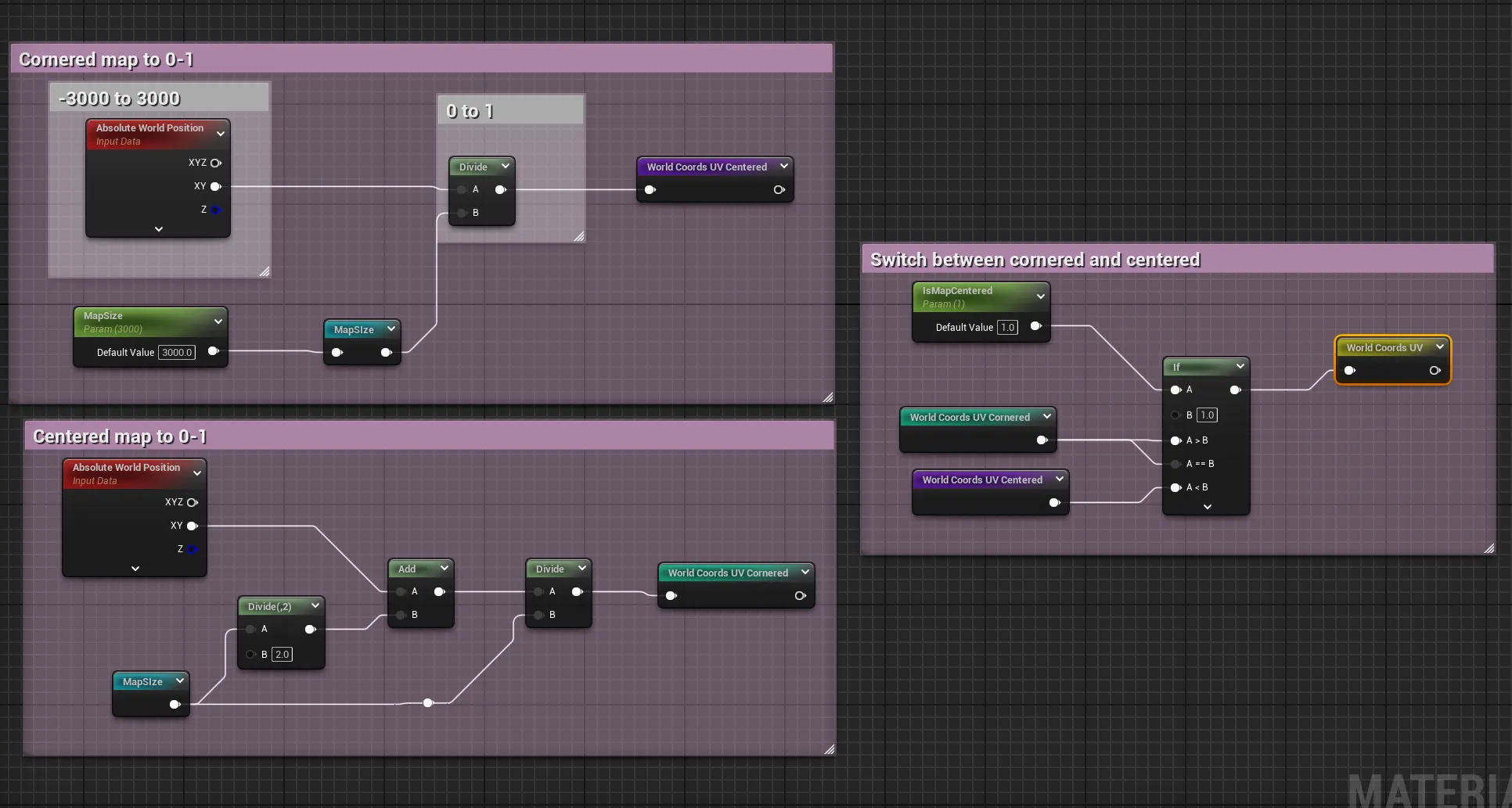
There are two world layouts to handle, which is what the IsMapCentered parameter selects:
// AbsoluteWorldPosition.xy is the pixel's world location
float2 uv = AbsoluteWorldPosition.xy / MapSize;
uv = IsMapCentered ? uv + 0.5 : uv;   // centered worlds run -0.5..0.5, shift to 0..1
float floorMask = Texture2DSample(FloorMap, uv).r;
If your level sits entirely in positive coordinates, the divide alone lands in 0 to 1. If the origin is centered, the world runs from a negative to a positive value, so we add half (0.5 in UV) to shift it up into the 0 to 1 range first.
Output to a Named Reroute
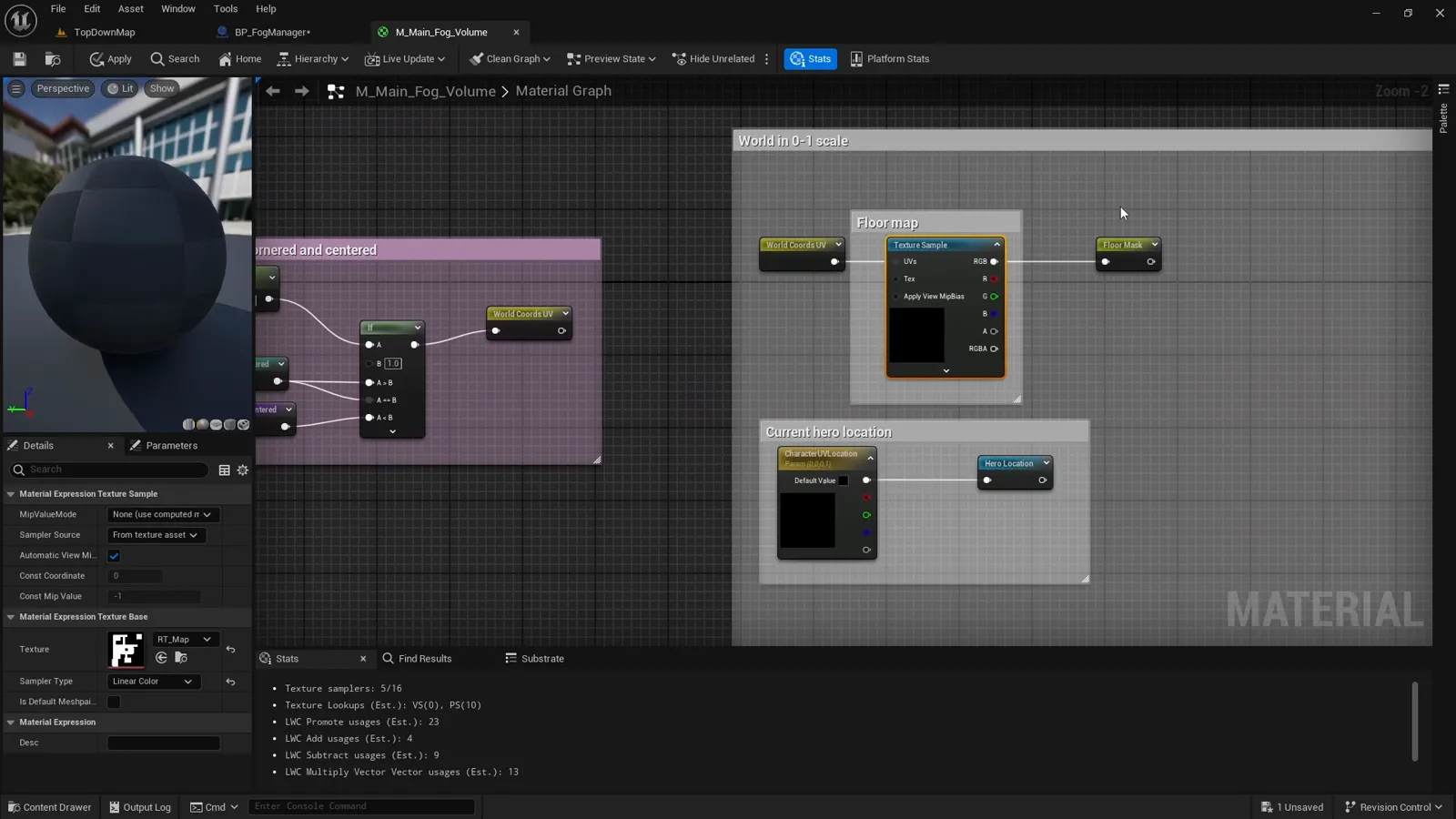
We output the floor mask to a Named Reroute (“portal”) so the combine section can read it without dragging a wire across the whole graph. Do the same for every mask; it keeps a graph this size readable.
The player spotlight
This is the circle of vision around the player. It reads the parameters the manager just
wrote: CharacterUVLocation, CharacterVisibilityRadius, and (for a facing cone)
CharacterForwardDirection and CharacterFOVCosHalfAngle.
The base of the spotlight is a SphereMask. Two of its inputs are Named Reroutes the graph
builds once: Hero Location (the CharacterUVLocation parameter) and
World Coords UV Centered (the pixel’s position in the same raw worldXY / MapSize space,
so the two line up). The radius is normalized too, CharacterVisibilityRadius / MapSize,
with a hardness around 90 for a soft edge:
float radiusUV = CharacterVisibilityRadius / MapSize;
float sphere   = SphereMask(WorldCoordsUVCentered, HeroLocation, radiusUV, /*hardness*/ 90);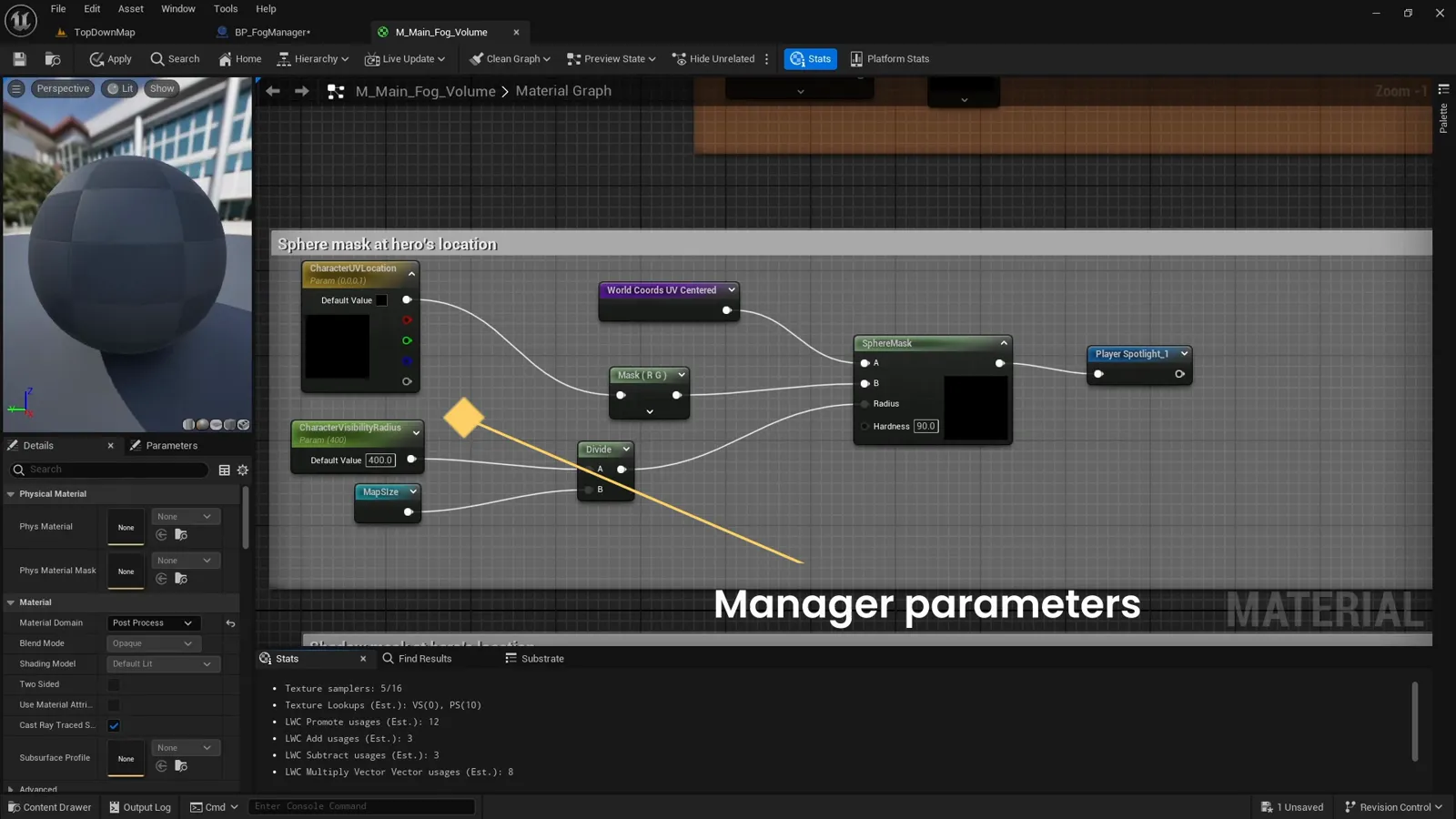
One gotcha worth calling out: the floor mask samples World Coords UV (offset into 0 to 1
so it matches the floor texture), while the sphere mask and the cone use World Coords UV Centered (raw worldXY / MapSize, matching Hero Location). Same world, two conventions,
each used where it is convenient. Mix them up and the spotlight drifts off the player.
Restricting the spotlight to a facing cone
If you want directional vision instead of a full circle, gate the sphere by a field of view
cone. Take the direction from the player to the pixel, dot it with the player’s forward
vector, and compare against CharacterFOVCosHalfAngle with a step. Because the manager
sends -1 when the FOV is 360, the cone test passes everywhere and you are back to an
omnidirectional circle for free:
float2 toPixel = normalize(WorldCoordsUVCentered - HeroLocation);
float  facing  = dot(toPixel, normalize(CharacterForwardDirection.xy));
float  inCone  = step(CharacterFOVCosHalfAngle, facing);  // 1 inside the cone
float  spotlight = saturate(sphere * inCone);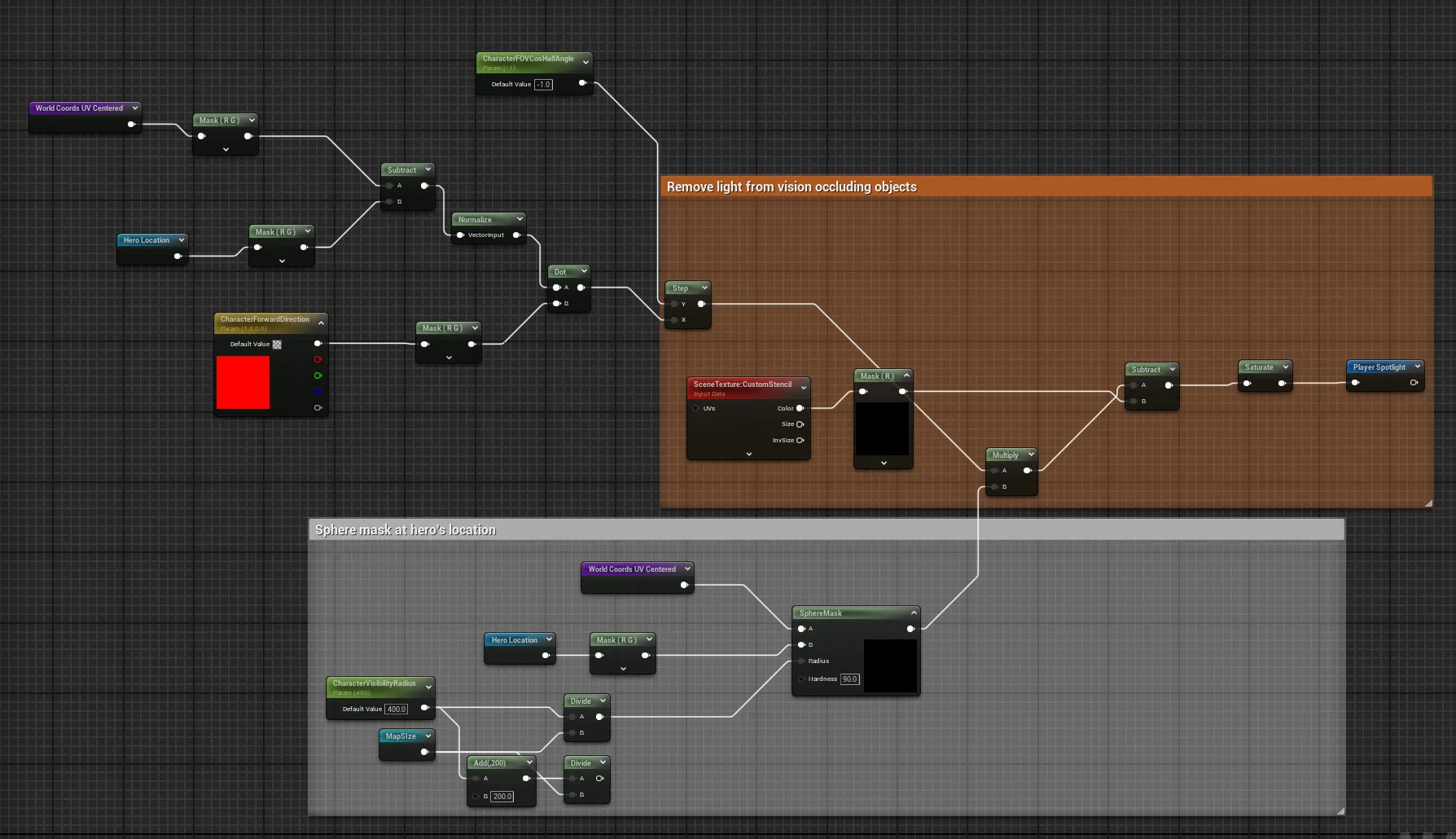
Output the spotlight through its own Named Reroute. The shipping material does one more thing to it, subtracting vision occluders so cliff faces do not glow, which is covered with the master material.
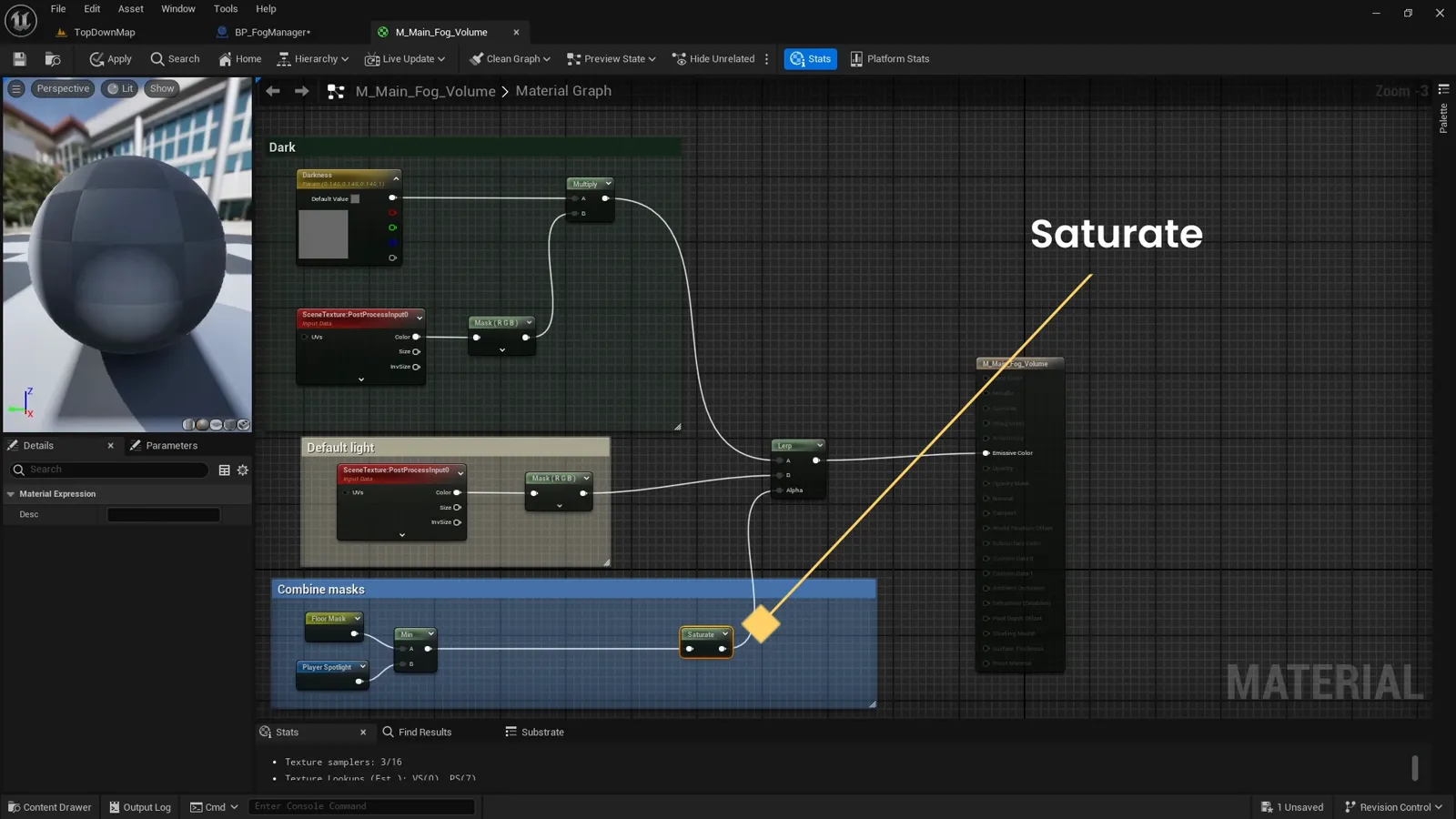
Combining floor and spotlight
Now combine the two masks. Intersect the spotlight with the floor (min) so light never
spills onto unwalkable areas, then clamp:
float reveal = min(floorMask, spotlight);
float mask   = saturate(reveal);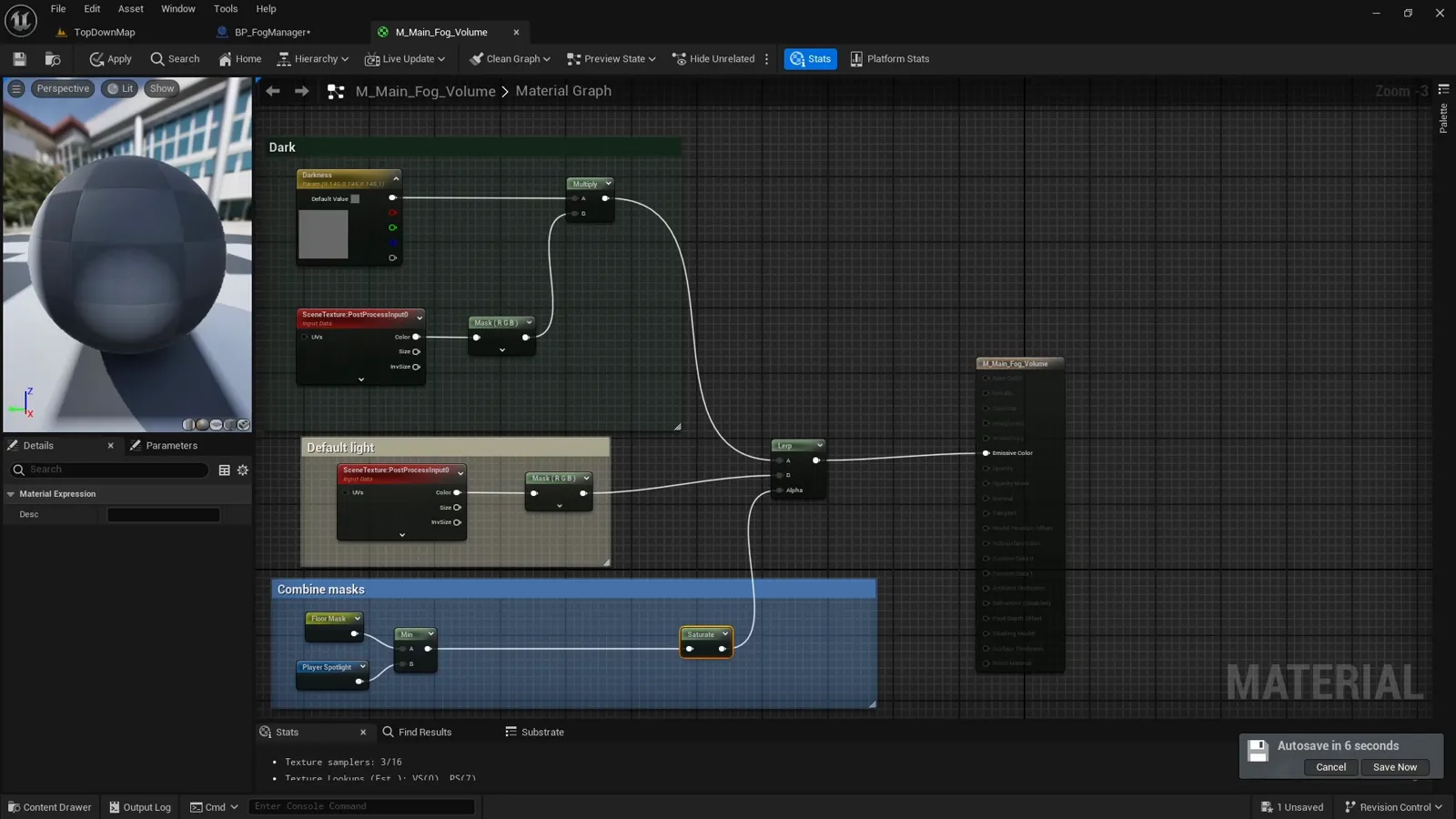
The saturate keeps the mask in the valid 0 to 1 range before it drives the final lerp
from the master material.
The result
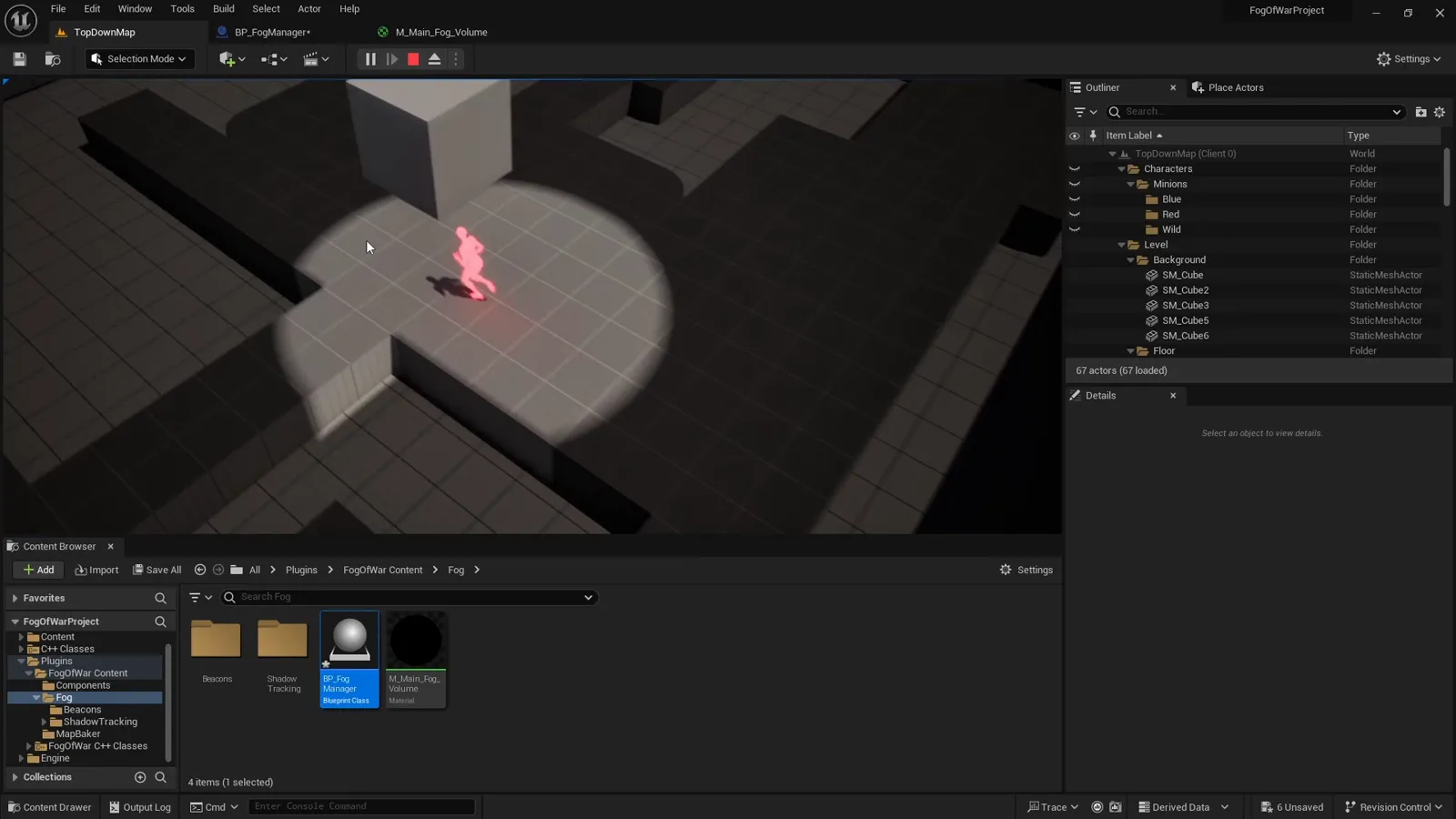
Drop the Fog Manager into the level and you have the core reveal: the whole map is darkened, and a soft circle of walkable floor lights up and follows the player.
What’s next
That is one vision source: the player. Next, add stationary ones: writing beacons to the material reveals area even when the player is away. See the guide hub for the full reading order.
Frequently asked questions
- How is the player's location written to the fog material?
- The Fog Manager reads the local pawn each tick, divides its world XY by the map size to get a 0-to-1 UV, and sets it as CharacterUVLocation on the dynamic material instance, alongside the forward vector and an FOV cosine.
- Why sample the floor mask in UV space?
- So the texture, the player's position, and the spotlight all share one 0-to-1 coordinate space. Everything is normalized by dividing world XY by the map size, which is why the masks line up.
- How do I make the spotlight directional instead of a full circle?
- Multiply the sphere mask by an FOV cone: dot the direction from the player to the pixel with the player's forward vector and compare to cos(half FOV) with a step. Send -1 for a full 360-degree circle.
- Why combine the floor and spotlight with a min node?
- min is a logical AND: a pixel only lights up where both the floor mask and the spotlight are white, so the player has to be standing on walkable floor for it to light.