Writing Fog of War Beacons to the Material in Unreal Engine
Add stationary vision sources to top-down fog of war in Unreal Engine. The Fog Manager packs each beacon's location, radius, and FOV into FVector4 arrays and hands them to a Niagara system, and the material unions the beacon mask with the player's reveal.
This is step six of the Top-Down Fog of War in Unreal Engine guide. The player reveal lights the area around the player. Beacons add extra, stationary vision sources: a watchtower, a ward, a deployed scanner that lights its surroundings even when the player is nowhere near. This step is how the manager gets them onto the GPU; the Niagara system that draws them is the next step.
Building the beacon arrays in C++
The manager keeps two parallel arrays of FVector4 and rebuilds them every tick: one with
each beacon’s location and radius, one with its facing and FOV cosine.
void AFogManager::UpdateBeaconLocations()
{
    BeaconLocationsAndSizes.Empty();
    BeaconFOVData.Empty();
    if (!GetLocalTracker()) return;

    for (const UBeaconComponent* Beacon : GetLocalTracker()->GetTrackedBeacons())
    {
        if (!Beacon) continue;
        const FVector L = Beacon->GetComponentLocation();
        const FVector Offset = bIsMapCentered ? FVector(MapSize / 2, MapSize / 2, 0) : FVector::ZeroVector;
        // xy = location, z = height, w = radius
        BeaconLocationsAndSizes.Add(FVector4(L.X + Offset.X, L.Y + Offset.Y, L.Z, Beacon->VisibilityRadius));

        const FVector F = Beacon->GetOwner()->GetActorForwardVector();
        const float CosHalf = Beacon->FieldOfViewAngle < 360.f
            ? FMath::Cos(FMath::DegreesToRadians(Beacon->FieldOfViewAngle * 0.5f)) : -1.f;
        BeaconFOVData.Add(FVector4(F.X, F.Y, CosHalf, 0.f)); // xy = forward, z = cos(half FOV)
    }
}
Each beacon carries the same data the player does, a location, a radius, and a facing and
FOV, just packed into vectors so a variable number of them can ride along together. The
UBeaconComponent is the source of that data; the local tracker hands back every beacon
the player owns through GetTrackedBeacons.
Handing the arrays to Niagara
A material cannot loop over a CPU array, so we hand those arrays to a Niagara system that
draws every beacon’s spotlight into a beacon render target, and the material samples
that target as Beacon Spotlights. In the Fog Manager Blueprint this is two Niagara Set Vector 4 Array calls each tick (User.BeaconLocationsAndSizes and User.BeaconFOVData),
plus a one-time User.MapSize on BeginPlay so the system draws in the same UV space as
everything else.
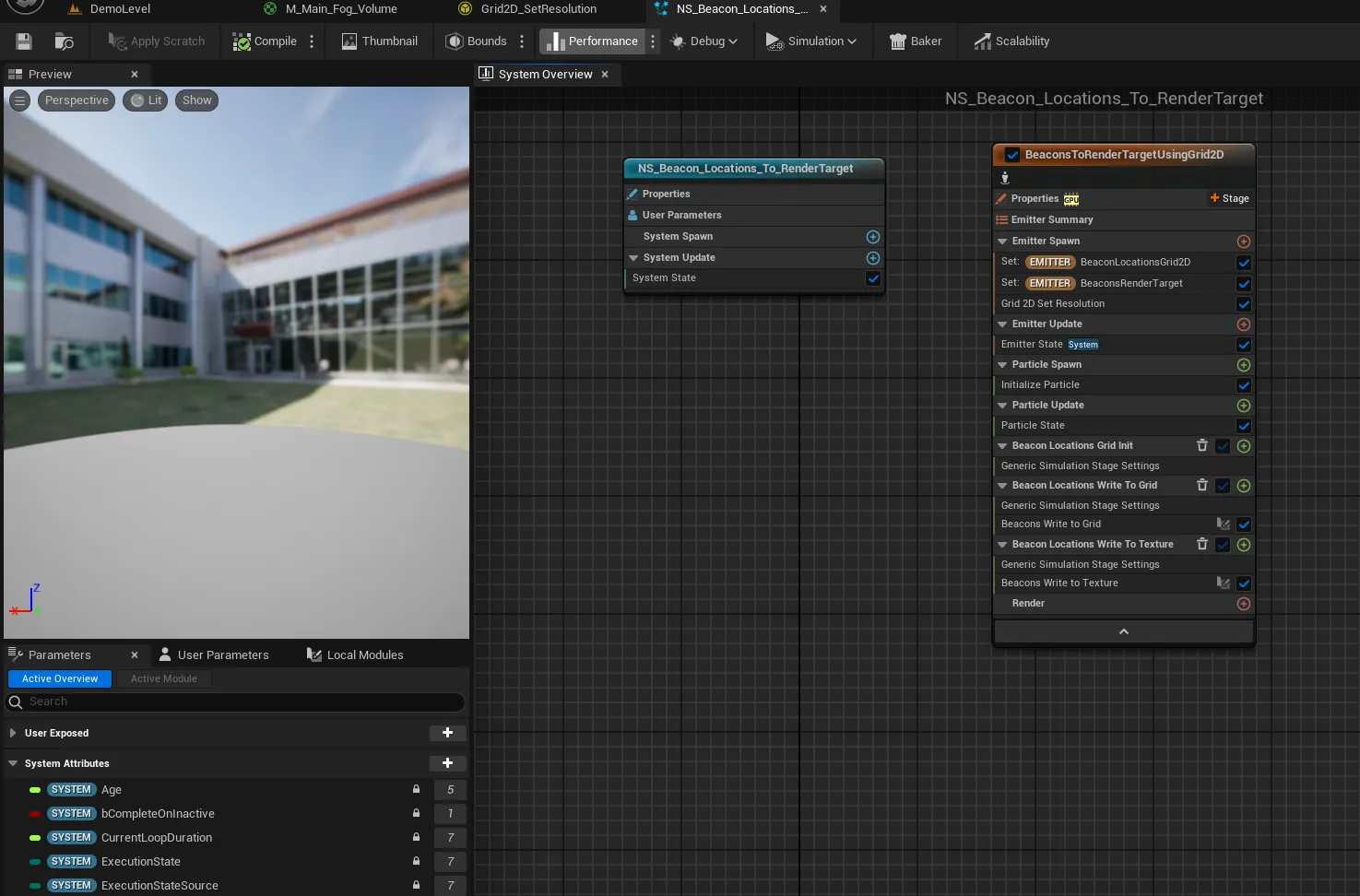
That is the whole handoff: rebuild the arrays in C++, push them onto the system as user parameters. How the system turns those arrays into a texture, the Grid2D and its simulation stages, is step seven.
Combining beacons with the player’s reveal
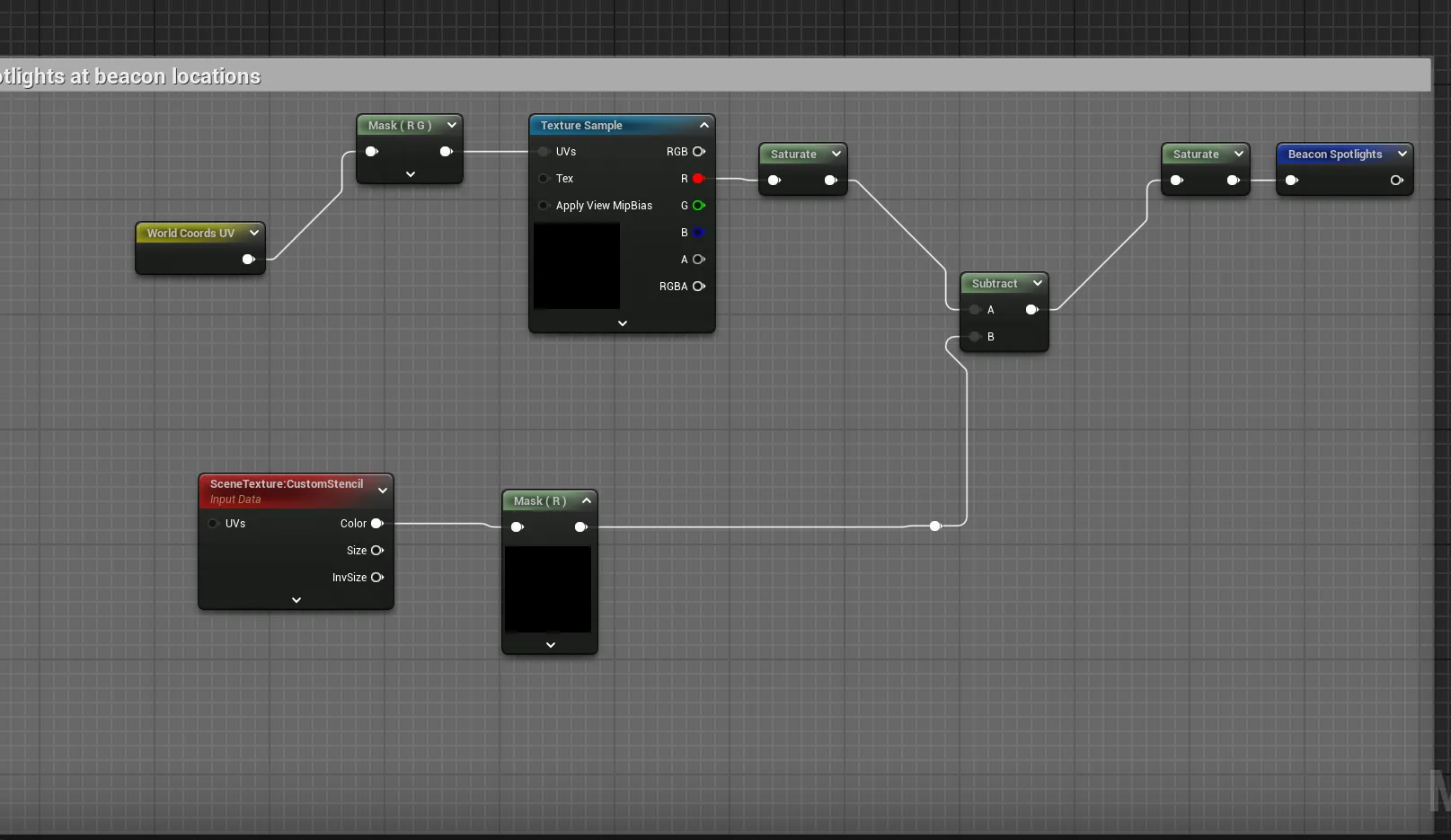
The material samples the beacon render target as another spotlight mask. Each vision source
is intersected with the floor (min), and the sources are unioned together (max), so any
of them can reveal a pixel:
float playerReveal = min(floorMask, playerSpotlight);
float beaconReveal = min(floorMask, beaconSpotlights);
float mask         = saturate(max(playerReveal, beaconReveal));
If your game has no beacons, drop this whole branch: the combine just uses the player reveal.
What’s next
The manager has handed the beacon arrays to the GPU. Next, look inside the system that turns them into a texture: Niagara and Grid2D setup. See the guide hub for the full series.
Frequently asked questions
- How are beacons sent to the GPU?
- The Fog Manager packs each beacon's location and radius into one FVector4 array and its facing and FOV cosine into another, then sets both on the Niagara system every tick with Niagara Set Vector 4 Array.
- Why use Niagara instead of doing beacons in the material?
- A material cannot loop over a variable-length array of beacons. A Niagara Grid2D system can: it iterates the beacon arrays on the GPU and rasterizes each one's spotlight into a render target the material then samples as a single mask.
- How are beacon reveals combined with the player's vision?
- With a max (logical OR): the final reveal is max(player reveal, beacon reveal), so any vision source can light a pixel.