Integrating Claude and ChatGPT Into an Unreal Engine Plugin
A code-heavy walkthrough of wiring an LLM into the Unreal editor: one provider-agnostic HTTP client for both Claude and ChatGPT, the strategy and factory pattern, building and parsing JSON with FJsonSerializer, async requests with FHttpModule, marshalling back to the game thread, and bounding conversation history to control tokens.
This is the code-heavy one. Putting an AI assistant inside the Unreal editor sounds like
it needs an SDK and a pile of dependencies; it does not. Unreal ships everything required:
FHttpModule for async HTTP and FJsonSerializer for JSON. The whole integration in the
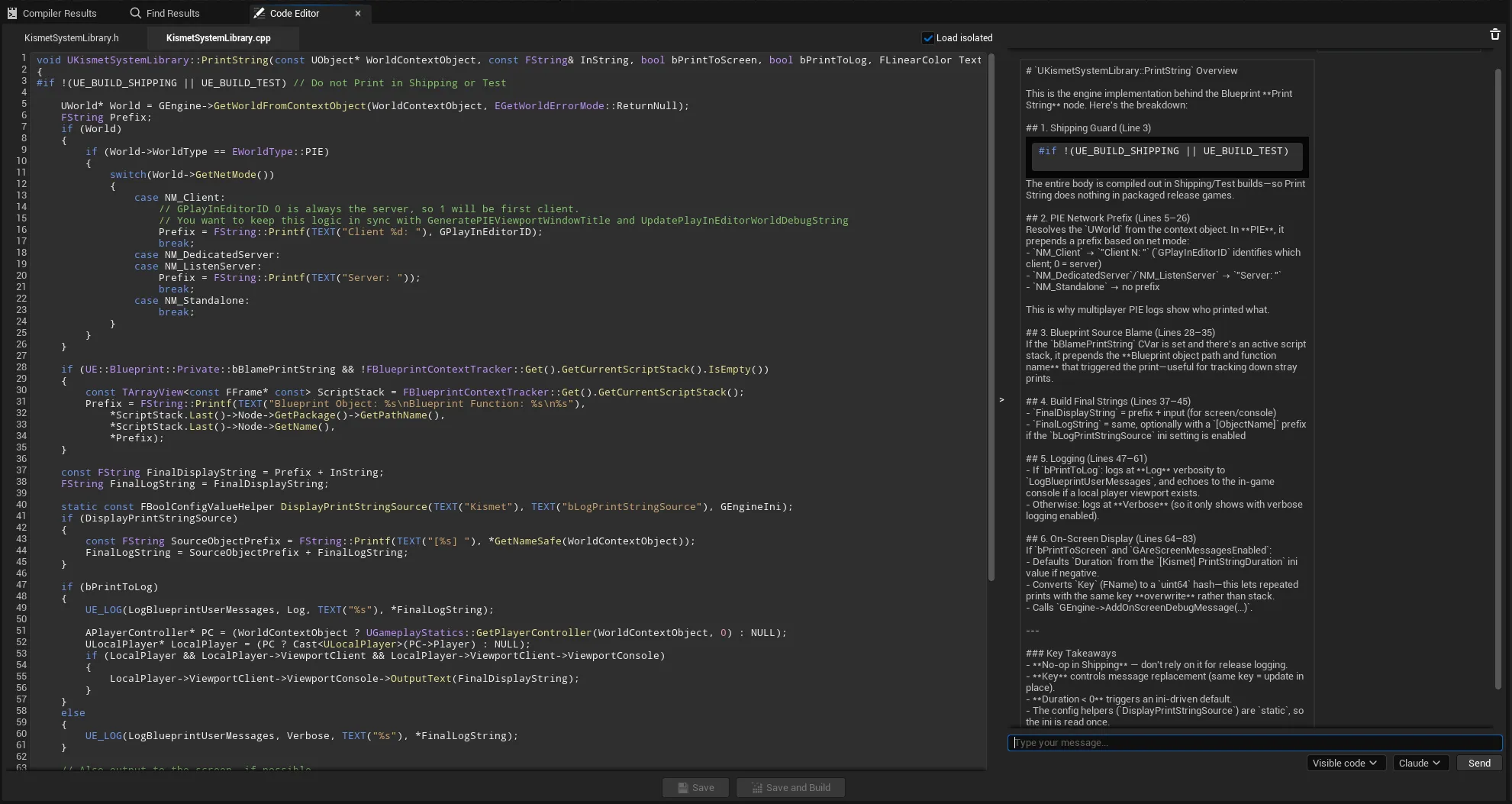
AI Node Code Editor (Quick Code Editor on FAB) is one client class
of a few hundred lines that talks to both Claude and ChatGPT. This article pulls that apart.
It is one of six articles in
Building an AI Code Editor Inside Unreal Engine.
The shape of the problem
Two providers, two REST APIs, one chat UI. The naive approach is two client classes; the
better approach is to notice how little actually differs between them. Both the Anthropic
Messages API and the OpenAI Chat Completions API take a JSON body of model, messages
and max_tokens, and both return a single buffered JSON response. The real differences are
three: the endpoint, the auth header, and the shape of the system prompt and the
response. So capture those as data and share everything else.
The agent interface
Start with an interface so the rest of the editor never knows which provider it is talking
to. The async result comes back through a TFunction callback, and success or failure ride
the same channel, there are no exceptions:
class IQCE_AIAgent
{
public:
    virtual ~IQCE_AIAgent() = default;

    // Multi-turn chat, keyed by conversation.
    virtual void SendMessage(const FString& ConversationKey, const FString& Message,
        const TFunction<void(const FString& Response, bool bSuccess)>& OnComplete) = 0;

    // One-shot code completion.
    virtual void GetCompletion(const FAICompletionContext& Request,
        const TFunction<void(const FString& Response, bool bSuccess)>& OnComplete) = 0;

    virtual FString GetAgentName() const = 0;
    virtual bool IsAvailable() const = 0;
};
Provider differences as data
One concrete client implements that interface for both providers. The constructor takes a provider enum and fills a small config struct; that struct is the only place the two APIs diverge structurally:
struct FAIProviderConfig
{
    FString ApiEndpoint;
    FString AuthHeaderName;     // "Authorization"  vs  "x-api-key"
    FString AuthHeaderPrefix;   // "Bearer "        vs  ""
    FString ApiVersionHeader;   // ""               vs  "anthropic-version"
    FString ApiVersionValue;    // ""               vs  "2023-06-01"
    bool    bSupportsTemperature = false;
};

void FQCE_GenericAIClient::InitializeProviderConfig()
{
    const UQCE_EditorSettings* Settings = GetDefault<UQCE_EditorSettings>();
    switch (Provider)
    {
    case EQCEDefaultAIProvider::Claude:
        Config.ApiEndpoint      = Settings->ClaudeApiEndpoint;   // api.anthropic.com/v1/messages
        Config.AuthHeaderName   = TEXT("x-api-key");
        Config.AuthHeaderPrefix = TEXT("");
        Config.ApiVersionHeader = TEXT("anthropic-version");
        Config.ApiVersionValue  = TEXT("2023-06-01");
        Config.bSupportsTemperature = false;
        break;

    case EQCEDefaultAIProvider::ChatGPT:
        Config.ApiEndpoint      = Settings->OpenAIApiEndpoint;   // api.openai.com/v1/chat/completions
        Config.AuthHeaderName   = TEXT("Authorization");
        Config.AuthHeaderPrefix = TEXT("Bearer ");
        Config.ApiVersionHeader = TEXT("");
        Config.ApiVersionValue  = TEXT("");
        Config.bSupportsTemperature = true;
        break;
    }
}
This is the heart of the design. Once the differences live in data, the header setup collapses to four lines that serve both providers:
void FQCE_GenericAIClient::SetupRequestHeaders(TSharedRef<IHttpRequest, ESPMode::ThreadSafe> Request)
{
    Request->SetHeader(TEXT("Content-Type"), TEXT("application/json"));
    Request->SetHeader(*Config.AuthHeaderName, Config.AuthHeaderPrefix + GetApiKey());
    if (!Config.ApiVersionHeader.IsEmpty())
        Request->SetHeader(*Config.ApiVersionHeader, *Config.ApiVersionValue);
}
GetApiKey() and GetModelVersion() switch on the same enum to read the right field from
settings (ClaudeApiKey vs OpenAIApiKey, ModelVersion vs OpenAIModelVersion).
A factory of one client per provider
The UI never news up a client. A factory lazily creates and caches one client per provider, so they live for the editor session:
FQCE_GenericAIClient& FQCE_AIClientFactory::GetClient(EQCEDefaultAIProvider Provider)
{
    if (!ClientInstances.Contains(Provider))
        ClientInstances.Add(Provider, MakeUnique<FQCE_GenericAIClient>(Provider));
    return *ClientInstances[Provider];
}
The chat panel maps the selected provider to the enum and calls through the factory, passing a lambda that routes the response back to itself:
FQCE_AIClientFactory::GetClient(Provider).SendMessage(
    ConversationKey, Message,
    [this](const FString& Response, bool bSuccess)
    {
        HandleMessageResponse(Response, bSuccess);
    });
Sending the request
SendMessage is the whole async-HTTP-in-the-editor pattern in one function: bail early if
there is no key, build the request, serialize the JSON body, bind the completion handler
(with the caller’s callback carried as a payload argument), and fire:
void FQCE_GenericAIClient::SendMessage(const FString& ConversationKey, const FString& Message,
    const TFunction<void(const FString&, bool)>& OnComplete)
{
    if (GetApiKey().IsEmpty())
    {
        OnComplete(FString::Printf(TEXT("%s_API_KEY_MISSING"), *GetAgentName().ToUpper()), false);
        return;
    }

    TSharedRef<IHttpRequest, ESPMode::ThreadSafe> Request = FHttpModule::Get().CreateRequest();
    Request->SetURL(Config.ApiEndpoint);
    Request->SetVerb(TEXT("POST"));
    SetupRequestHeaders(Request);

    TSharedPtr<FJsonObject> Payload = CreateConversationPayload(ConversationKey);
    FString Body;
    TSharedRef<TJsonWriter<>> Writer = TJsonWriterFactory<>::Create(&Body);
    FJsonSerializer::Serialize(Payload.ToSharedRef(), Writer);
    Request->SetContentAsString(Body);

    // The caller's callback is carried as a payload arg into the completion handler.
    Request->OnProcessRequestComplete().BindRaw(this, &FQCE_GenericAIClient::HandleResponse, OnComplete);
    Request->ProcessRequest();   // returns immediately; the response arrives later
}
Two patterns to note. The missing-key case returns a sentinel string
(CLAUDE_API_KEY_MISSING) the UI can detect to show a “set your key” card instead of a raw
error. And ProcessRequest() is non-blocking: it returns at once, and the response comes
back through the delegate, with the caller’s OnComplete carried along as a bound payload
argument.
Building the JSON body
CreateConversationPayload is where UE JSON building shows up, and where the per-provider
message shape is chosen. Build an FJsonObject, set fields, wrap each message object in an
FJsonValueObject for the array:
TSharedPtr<FJsonObject> FQCE_GenericAIClient::CreateConversationPayload(const FString& Key)
{
    FQCEAIConversation* Conversation = QCE_AIConversationTracker::Get().FindConversation(Key);

    TArray<TSharedPtr<FJsonObject>> ApiMessages =
        (Provider == EQCEDefaultAIProvider::Claude)
            ? Conversation->GetClaudeAPIMessages()
            : Conversation->GetOpenAIAPIMessages();

    TArray<TSharedPtr<FJsonValue>> MessageValues;
    for (const TSharedPtr<FJsonObject>& Msg : ApiMessages)
        MessageValues.Add(MakeShared<FJsonValueObject>(Msg));

    TSharedPtr<FJsonObject> Payload = MakeShared<FJsonObject>();
    Payload->SetStringField(TEXT("model"), GetModelVersion());
    Payload->SetArrayField(TEXT("messages"), MessageValues);

    // Adaptive token budget: short chats are cheaper.
    const int32 Length = FMath::Max(0, ApiMessages.Num() - 1);
    const UQCE_EditorSettings* Settings = GetDefault<UQCE_EditorSettings>();
    Payload->SetNumberField(TEXT("max_tokens"),
        Length <= 2 ? Settings->SimpleQueryMaxTokens : Settings->RegularMaxTokens);

    if (Config.bSupportsTemperature)
        Payload->SetNumberField(TEXT("temperature"), 0.7);   // OpenAI only here

    return Payload;
}
Both providers get { model, messages, max_tokens }. temperature is added only when the
provider config allows it. And max_tokens is adaptive: short conversations use a
smaller budget (SimpleQueryMaxTokens, default 1024), longer ones use a larger one
(RegularMaxTokens, default 2048), a small but real cost control.
The one real protocol difference: the system prompt
The system instructions and the function context are delivered differently per provider.
OpenAI takes a dedicated system-role message; this Anthropic integration carries the same
content as the first user message. That divergence lives in the two message-list getters:
// OpenAI: context becomes a system message.
MessageObj->SetStringField(TEXT("role"), TEXT("system"));

// Claude: the same context rides as the first user message.
MessageObj->SetStringField(TEXT("role"), Messages[0].Role);   // "user"
Bounding history to control tokens
You do not send the entire conversation every turn; you send the system context plus a
window of recent messages. The system message at slot 0 is always included and never
counted against the budget; only the trailing MaxHistoryMessages of the rest are sent:
TArray<TSharedPtr<FJsonObject>> FQCEAIConversation::GetClaudeAPIMessages() const
{
    TArray<TSharedPtr<FJsonObject>> Api;

    // (1) Always include the context message first.
    if (Messages.Num() > 0 && Messages[0].MessageType == EQCEMessageType::FunctionContext)
        Api.Add(MakeMessage(Messages[0].Role, Messages[0].Content));

    // (2) Window the tail: at most MaxHistory recent turns, skipping slot 0.
    const int32 MaxHistory = GetDefault<UQCE_EditorSettings>()->MaxHistoryMessages;   // default 5
    const int32 Start = FMath::Max(1, Messages.Num() - MaxHistory);
    for (int32 i = Start; i < Messages.Num(); ++i)
        Api.Add(MakeMessage(Messages[i].Role, Messages[i].Content));

    return Api;
}
FMath::Max(1, N - MaxHistory) is the whole windowing trick: it keeps the last N messages
and never drops the context at index 0. Bound history is the single biggest lever on token
spend for a chat feature, and it is one line.
Parsing the response
The completion handler runs three failure checks (transport, JSON parse, content extract),
all routed through the same OnComplete(text, false) channel:
void FQCE_GenericAIClient::HandleResponse(FHttpRequestPtr, FHttpResponsePtr Response,
    bool bWasSuccessful, TFunction<void(const FString&, bool)> OnComplete)
{
    if (!bWasSuccessful || !Response.IsValid())
    { OnComplete(TEXT("Failed to connect"), false); return; }

    TSharedPtr<FJsonObject> Json;
    TSharedRef<TJsonReader<>> Reader = TJsonReaderFactory<>::Create(Response->GetContentAsString());
    if (!FJsonSerializer::Deserialize(Reader, Json))
    { OnComplete(TEXT("Failed to parse response"), false); return; }

    FString Content, Error;
    OnComplete(ParseResponseContent(Json, Content, Error) ? Content : Error,
               /*bSuccess*/ Content.Len() > 0);
}
The response shapes differ, so ParseResponseContent reads each with the bool-returning
TryGet* accessors (no exceptions, out-param style):
// Claude: content[0].text
const TArray<TSharedPtr<FJsonValue>>* Content;
if (Json->TryGetArrayField(TEXT("content"), Content) && Content->Num() > 0)
{
    const TSharedPtr<FJsonObject>* Obj;
    if ((*Content)[0]->TryGetObject(Obj) && (*Obj)->TryGetStringField(TEXT("text"), OutContent))
        return true;
}

// OpenAI: check for an error object first, then choices[0].message.content
const TSharedPtr<FJsonObject>* ErrorObj;
if (Json->TryGetObjectField(TEXT("error"), ErrorObj)) { /* surface a friendly message */ }
Marshalling back to the game thread
The completion delegate can fire off the game thread, and Slate must only be touched on the game thread. So the UI handler hops back before adding anything to the chat:
void QCE_AIContainer::HandleMessageResponse(const FString& Response, bool bSuccess) const
{
    AsyncTask(ENamedThreads::GameThread, [this, Response, bSuccess]()
    {
        MessageList->RemoveLoadingMessage();
        if (bSuccess) MessageList->AddAIResponse(Response);
        else          MessageList->ShowError(Response);
    });
}
One caution: this captures this raw. The factory clients live for
the session so binding to them is safe, but a Slate widget captured by raw this would
dangle if it were destroyed while a request was in flight. The safer version captures a
TWeakPtr to the widget and Pin()s it inside the lambda. For an editor tool with a
session-long panel it is a low risk, but it is the kind of thing to get right before
shipping something long-lived.
What to take away
- You need no SDK:
FHttpModuleplusFJsonSerializer(addHTTPandJsonto your module) are enough to call Claude or OpenAI directly. - Make one client serve both providers by holding the differences as data (endpoint, auth header, response shape); branch only where the APIs diverge.
- The request is async:
ProcessRequest()returns immediately, the callback carries your continuation, and you must marshal back to the game thread before touching Slate. - Bound conversation history with a simple tail window to keep token cost predictable.
The same client also powers inline code completion, where the context you send is the difference between a cheap, accurate suggestion and a wasteful one. The full series is Building an AI Code Editor Inside Unreal Engine; the finished plugin is AI Node Code Editor on FAB. If you want to write Unreal C++ with an AI rather than build the editor, see How to Use Claude or ChatGPT to Write C++ in Unreal Engine.
Frequently asked questions
- Do you need a third-party HTTP or JSON library to call an LLM from Unreal?
- No. Unreal ships FHttpModule for async HTTP and FJsonSerializer for building and parsing JSON. Add HTTP and Json to your module dependencies and you can call the Anthropic or OpenAI REST API directly, no external SDK required.
- How do you support both Claude and ChatGPT without duplicating the client?
- Capture the per-provider differences as data: endpoint, auth header name and prefix, version header, and which response shape to read. One client class branches only where the providers differ (the auth header and the response parse), so most of the code is shared.
- What is the difference between the Claude and OpenAI request shapes?
- Both accept model, messages and max_tokens. The divergence is the system prompt: OpenAI takes a message with role system, while the Anthropic Messages API in this integration carries the context as the first user message. The response shapes also differ: Claude returns content[0].text, OpenAI returns choices[0].message.content.
- Why must the HTTP callback marshal back to the game thread?
- FHttpModule completion delegates can fire off the game thread, and Slate widgets may only be touched on the game thread. Wrapping the UI update in AsyncTask(ENamedThreads::GameThread, ...) moves it back before adding the response to the chat, avoiding a crash.