The Drop-Off Pile: Home Location and Pyramid Stacking
How gathered resources pile up neatly in Unreal Engine: a home location set on assignment or moved by cursor, an optional home marker actor, and a stacking utility that places each dropped item into a centered three-row pyramid instead of a messy heap.
The last beat of the loop is the satisfying one: the worker reaches home, drops its haul, and the pile grows by one, neatly. This card covers where “home” is and how items stack without turning into a heap. It closes Resource Gathering AI in Unreal Engine and follows The carried resource, which produces the items that land here.
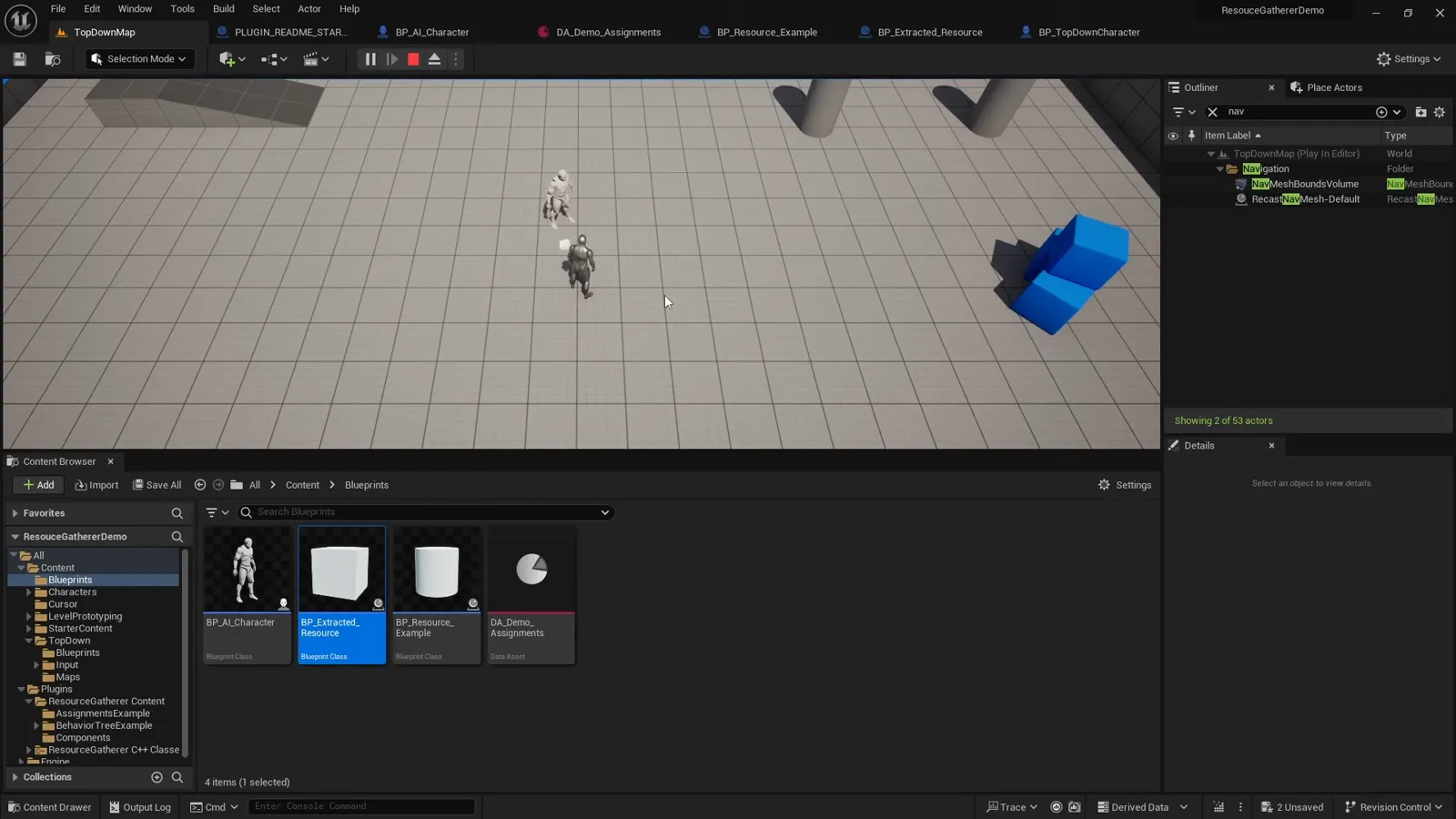
Where home is
Every worker has a CharacterHomeLocation. It is set when the assignment begins: either the
value you pass to TryBeginAssignment, or, if you pass FVector::ZeroVector, a line trace
straight down from the character’s feet onto the ground (covered in
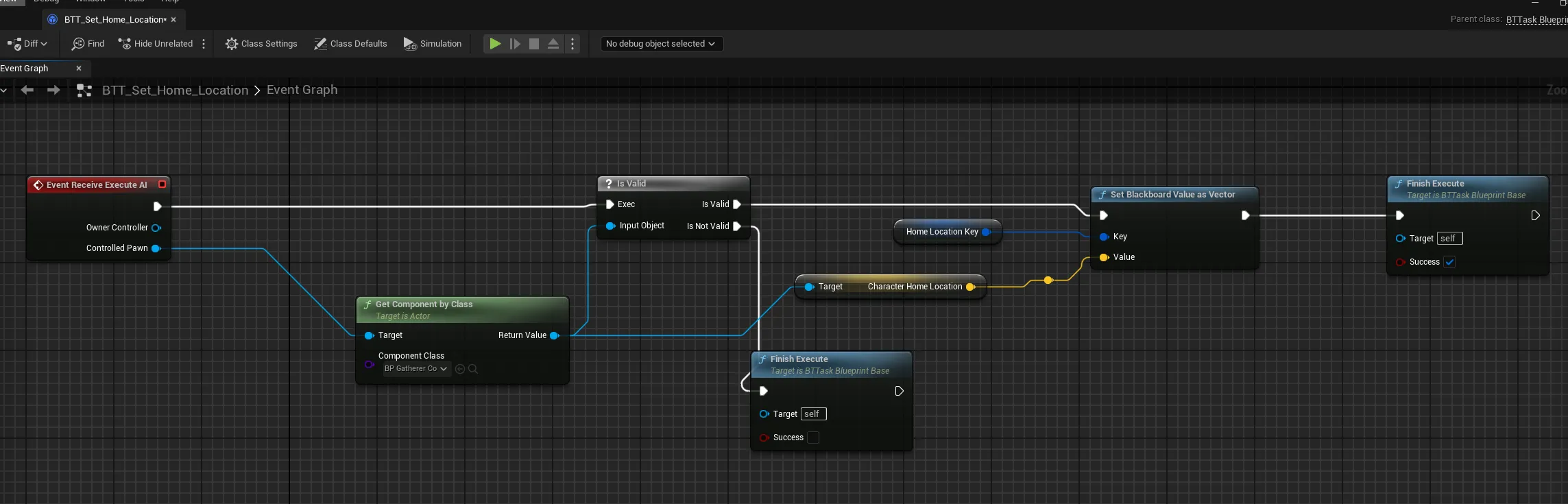
the Gatherer component). The Behavior Tree
reads it back through a small task that writes it to the HomeLocation Blackboard key, and
the worker’s second move-to walks there:
Home does not have to be fixed. UpdateAssignmentHome lets a player relocate it under the
cursor, and a Server RPC moves both the value and the marker:
void UGathererComponent::UpdateAssignmentHome()
{
    APlayerController* PC = GetWorld()->GetFirstPlayerController();
    FHitResult HitResult;
    if (PC && PC->GetHitResultUnderCursor(ECC_Visibility, false, HitResult))
    {
        CharacterHomeLocation = HitResult.Location;
        Server_UpdateAssignmentHome(HitResult.Location);   // moves the spawned home actor too
    }
}
The home marker
Each assignment can name an optional Home Actor, a banner or flag, spawned at the home location when the assignment starts so players can see where a worker drops. It is spawned replicated and follows the home location if you move it:
if (ActiveAssignment.HomeActor)
{
    SpawnedHomeActor = GetWorld()->SpawnActor<AActor>(
        ActiveAssignment.HomeActor, CharacterHomeLocation, FRotator::ZeroRotator, SpawnParams);
    SpawnedHomeActor->SetReplicates(true);
    SpawnedHomeActor->SetReplicateMovement(true);
}
Stacking into a pyramid
If every haul dropped at exactly CharacterHomeLocation, you would get one item flickering
in place. Instead, a UResourceStackingUtility hands back the next free slot in a centered
pyramid. On drop, the Gatherer detaches the item and places it at that slot:
void UGathererComponent::DetachExtractedResourceFromCharacter()
{
    SpawnedExtractedResource->DetachFromActor(DetachRules);
    OnDroppedActor.Broadcast();   // re-enables the item's collision

    FVector NextLocation = WoodPileMaker->GetLocationForLogIndex(CharacterHomeLocation);
    SpawnedExtractedResource->SetActorLocation(NextLocation, true);
    SpawnedExtractedResource->SetActorRotation(FRotator(0, 0, 70));
}
The utility keeps a running count and walks the pyramid rows to find which one the next item belongs in. The rows shrink as they rise, a 3x3 base, a 2x2 middle, then a single capstone:
for (int32 CurrentRow = 0; CurrentRow < MAX_ROWS; CurrentRow++)
{
    int32 LogsPerSide = 3 - CurrentRow;             // 3x3, then 2x2, then 1x1
    int32 LogsInThisRow = LogsPerSide * LogsPerSide;
    if (Position < LogsInThisRow) { Row = CurrentRow; break; }
    Position -= LogsInThisRow;
}
Within a row, the running position becomes a 2D grid coordinate, and each item is offset by the log dimensions and centered, with each row lifted by the log height:
int32 XIndex = Position % LogsPerSide;
int32 YIndex = Position / LogsPerSide;
float XOffset = (XIndex - (LogsPerSide - 1) / 2.0f) * LOG_LENGTH;   // 40
float YOffset = (YIndex - (LogsPerSide - 1) / 2.0f) * LOG_WIDTH;    // 30
float ZOffset = Row * LOG_HEIGHT;                                   // 18
return StartLocation + FVector(XOffset, YOffset, ZOffset);
With the defaults (log dimensions 40 by 30 by 18 Unreal units, three rows), the pile holds fourteen items (9 + 4 + 1) before it caps out. Those are constants in the utility, so a taller or wider pyramid is a code change, not a design accident.
What to take away
- Home is
CharacterHomeLocation, set on assignment (passed in, or traced to the ground) and movable by cursor through a Server RPC that also relocates the marker. - An optional, replicated Home Actor marks the drop point.
UResourceStackingUtilityturns drop order into a centered three-row pyramid, so hauls stack tidily; its dimensions and capacity are constants you can tune.
That closes the loop: order, find, walk, extract, carry, walk home, drop, repeat, replicated. Head back to the guide hub for the full map, or drop the finished system into your project with Resource Gathering Minions on FAB.
Frequently asked questions
- Where does a worker drop what it gathers?
- At its home location. That is set when the assignment begins, either the location you pass to TryBeginAssignment or, if you pass zero, a line trace straight down from the character's feet to the ground. You can also move it at runtime with UpdateAssignmentHome, which traces under the mouse cursor and relocates the home marker.
- How do dropped resources avoid landing in one messy heap?
- A ResourceStackingUtility computes a slot for each dropped item. It lays them into a centered pyramid: a 3x3 bottom row, a 2x2 middle row, then a single top item, offsetting each by the log dimensions and raising each row by the log height, so the pile grows into a tidy stack.
- What is the Home Actor for?
- It is an optional marker (a banner or flag) spawned at the home location so players can see where a worker is dropping. It is set per assignment, spawned replicated, and moves with the home location when you reposition it by cursor.
- How big is the pyramid and can I change it?
- The default holds three rows totalling fourteen items (9 + 4 + 1), with log dimensions of 40 by 30 by 18 Unreal units. Those are constants in the stacking utility, so the capacity and spacing are a code change if you want a taller or wider pile.